The SABRENT 10-Port Powered USB 3.0 Hub is designed for a busy desk where peripherals, storage, and mobile devices compete for USB connections.
This SABRENT 10-Port Powered USB 3.0 Hub review looks at its mix of data ports, dedicated charging, and individual controls.
SABRENT USB Hub Review Summary
The quick verdict
6,000+ ratings
Read Amazon ReviewsSABRENT 10-Port Powered USB 3.0 Hub
A practical fit for desk setups that need several USB connections, per-port switches, and dedicated charging ports.
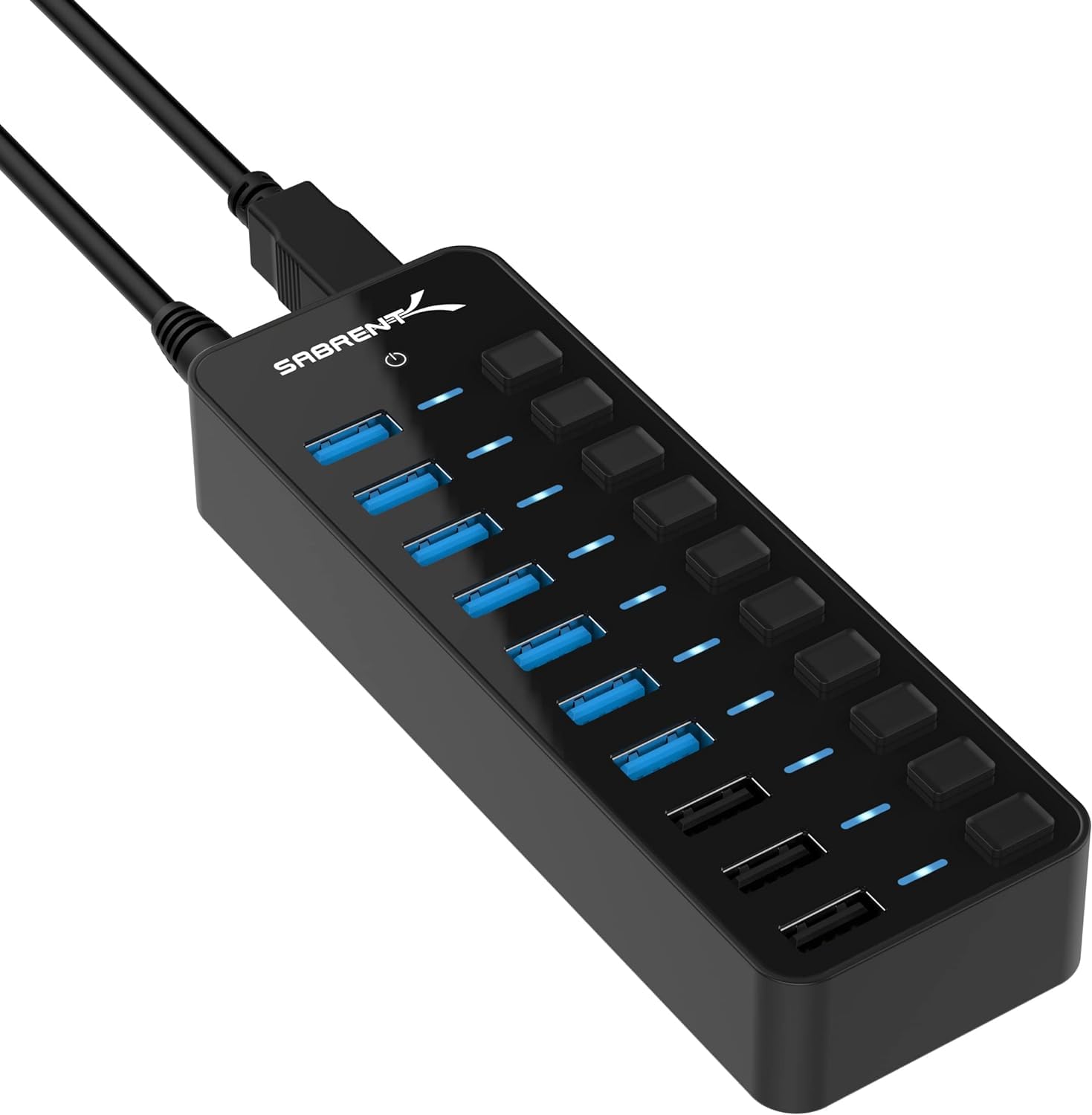
- Up to seven USB 3.0 device connections, with transfer speeds up to 5Gbps for compatible equipment.
- Three dedicated smart charging ports that auto-detect connected devices and provide up to 2.4A per port.
- A 60W, 12V/5A power adapter is included to power the hub.
- Each port has its own power switch and LED indicator.

Pros
- Combines multiple USB 3.0 connections with three separate charging ports.
- Individual switches make it possible to control connected devices port by port.
Consider before buying
- The seven device connections and three charging ports have separate functions, so buyers should map their needs to the port layout before purchase.
- Charging is limited to up to 2.4A per dedicated port; check the charging needs of any device that requires a particular power level.
Read the full review summary
This powered hub combines up to seven USB 3.0 device connections with three dedicated smart charging ports.
Its included 60W adapter is intended to supply power across the hub, while individual switches and LEDs make it easier to manage connected devices without unplugging them.
It suits a desktop, laptop, or console setup with multiple USB accessories and a need to charge phones or tablets nearby.
The key buying detail is that the seven device connections and three charging ports serve different roles; check that arrangement against your intended devices before choosing it.
The buying factors
SABRENT USB Hub Scorecard
Editorial scores reflect listed features and buyer fit; they are not laboratory measurements or customer ratings.
Connection capacity
Up to seven USB 3.0 devices can connect at once, alongside three dedicated charging ports.
Data speed potential
The USB 3.0 connections support transfer speeds up to 5Gbps, which suits compatible drives and peripherals.
Charging convenience
Three smart charging ports can deliver up to 2.4A per port for USB-powered devices.
Port management
Individual switches and LED indicators provide clear, direct control at each port.
Setup simplicity
Plug-and-play compatibility with Windows, macOS, and Linux avoids a driver installation step.
Desk practicality
The mirrored compact design helps it fit a range of setups, though a powered hub and its adapter need desk space and an outlet.
Key Features and Specifications of SABRENT USB Hub
- Up to seven USB 3.0 device connections, with transfer speeds up to 5Gbps for compatible equipment.
- Three dedicated smart charging ports that auto-detect connected devices and provide up to 2.4A per port.
- A 60W, 12V/5A power adapter is included to power the hub.
- Each port has its own power switch and LED indicator.
- Plug-and-play compatibility with Windows, macOS, and Linux; no drivers required.
- Compact mirrored design intended to suit different desk setups.
Pros and Cons of SABRENT USB Hub
Pros
- Combines multiple USB 3.0 connections with three separate charging ports.
- Individual switches make it possible to control connected devices port by port.
- LED indicators help show port status at a glance.
- Includes a substantial 60W power adapter rather than relying only on the host connection.
- Broad operating system compatibility and driver-free setup.
Consider before buying
- The seven device connections and three charging ports have separate functions, so buyers should map their needs to the port layout before purchase.
- Charging is limited to up to 2.4A per dedicated port; check the charging needs of any device that requires a particular power level.
- The included external adapter adds another cable and requires an available power outlet.
Who Should Buy SABRENT USB Hub?
Good fit
Choose this hub if your computer or console setup has several USB accessories and you want a central place to connect them.
The seven USB 3.0 device ports can accommodate a mix of compatible drives, input devices, and other peripherals, with speeds up to 5Gbps when the connected device and host support them.
The individual switches and indicators are especially useful when some peripherals are only needed occasionally. You can switch ports off without pulling their plugs, while the LEDs provide a visible status cue.
This can make a crowded workspace easier to manage, particularly when devices remain connected between uses.
It is also a sensible option if you want dedicated charging ports at the same station. The three smart ports auto-detect USB-powered devices and offer up to 2.4A each.
Before buying, decide which devices need data connections and which only need charging, then verify the arrangement matches your everyday setup.
Who should skip it
Look elsewhere if you need a hub whose main purpose is high-power charging for demanding devices. The charging ports are specified for up to 2.4A each, so compare that limit with your devices’ requirements.
This may be more hub than you need if you only connect one or two low-demand accessories. A smaller, simpler unit could take less room and avoid an external power adapter.
How the SABRENT USB Hub fits a multi-device setup
Separate data and charging needs
The hub’s layout is built around two types of use: up to seven USB 3.0 device connections and three dedicated charging ports.
That distinction helps when planning a desk, but it also means buyers should not assume all ten ports have the same role.
List the devices you want connected and mark which need data transfer before settling on the layout.
What the 5Gbps figure means
The USB 3.0 connections support transfer speeds up to 5Gbps.
That maximum describes the supported connection rate rather than a guaranteed transfer speed in every setup; actual use depends on compatible devices and the rest of the connection path.
For keyboards or other low-bandwidth accessories, port count and access may matter more than the maximum rate.
Power and day-to-day control
A 60W, 12V/5A adapter powers the hub, and each port has a switch and LED.
The external adapter means the unit needs an outlet as well as a connection to the host, but it provides a dedicated power supply for the hub.
Individual switches can be convenient for equipment you do not need running continuously.
Check the charging fit
Three smart charging ports provide up to 2.4A per port and auto-detect connected devices.
That is a useful charging option for phones, tablets, and other USB-powered gear, while the stated per-port maximum gives buyers a clear point to compare with device requirements.
If charging speed is a priority, confirm the device’s needs before relying on these ports.
Alternatives to SABRENT USB Hub
USB Hubs alternative
1,000+ ratings
Read Amazon ReviewsSABRENT 16-Port USB 3.0 Data Hub and Charger (HB-PU16)
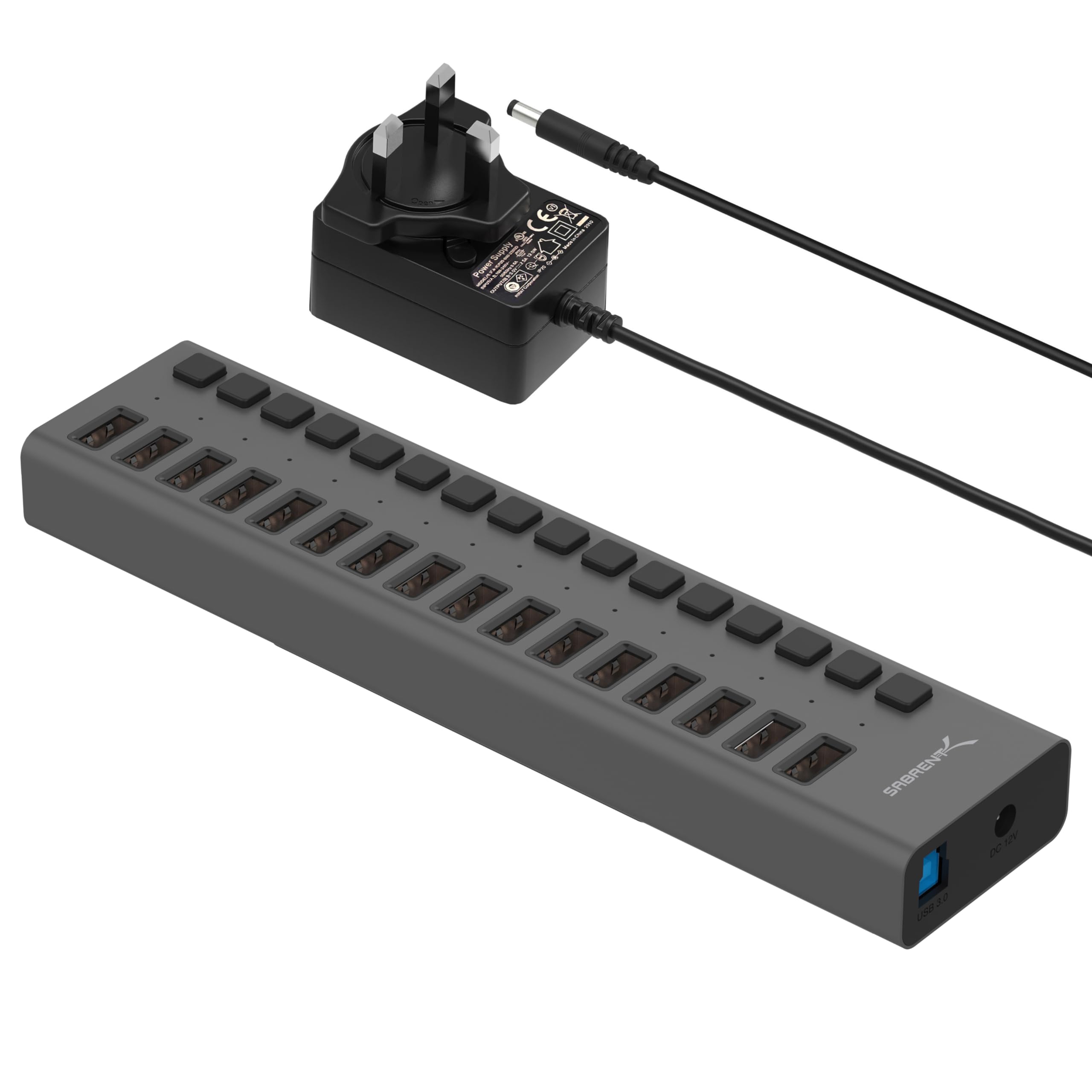
Consider the 16-port model if your priority is connecting a larger number of USB peripherals through one hub.
The 10-port model is a more focused fit when three dedicated charging ports and a 60W adapter match your intended arrangement.
- This model has 16 USB 3.0 ports, individual power switches, blue LED indicators, and transfer speeds up to 5Gbps.
- The reviewed hub provides up to seven USB 3.0 device connections, three dedicated charging ports, individual switches, and a 60W adapter.
USB Hubs alternative

2,000+ ratings
Read Amazon ReviewsSABRENT 4-Port Aluminum USB 3.0 Hub (HB-MC3B)
Choose the four-port model if a smaller data-only expansion with a specified cable length better suits your workspace or travel setup.
The 10-port hub is the stronger match when you need more connections, dedicated charging, and individual port switches.
- This four-port portable data hub supports speeds up to 5Gbps and includes a 2.5-foot USB 3.0 cable.
- The reviewed hub is a powered, higher-capacity design with dedicated charging ports and per-port controls.
Is SABRENT USB Hub Worth It?
The SABRENT 10-Port Powered USB 3.0 Hub is worth considering for a desk or workstation with several peripherals, plus phones or tablets to charge.
Its useful combination is the seven USB 3.0 device connections, three dedicated smart charging ports, included power adapter, and individual switches.
Before choosing it, confirm that the charging ports’ up-to-2.4A limit suits your devices and that you have room and an outlet for the adapter.
If those details fit your setup, this hub offers practical capacity and control without requiring drivers across Windows, macOS, or Linux.
Your review at a glance
6,000+ ratings
Read Amazon ReviewsSABRENT 10-Port Powered USB 3.0 Hub
A practical fit for desk setups that need several USB connections, per-port switches, and dedicated charging ports.
- Up to seven USB 3.0 device connections, with transfer speeds up to 5Gbps for compatible equipment.
- Three dedicated smart charging ports that auto-detect connected devices and provide up to 2.4A per port.
- A 60W, 12V/5A power adapter is included to power the hub.
- Each port has its own power switch and LED indicator.