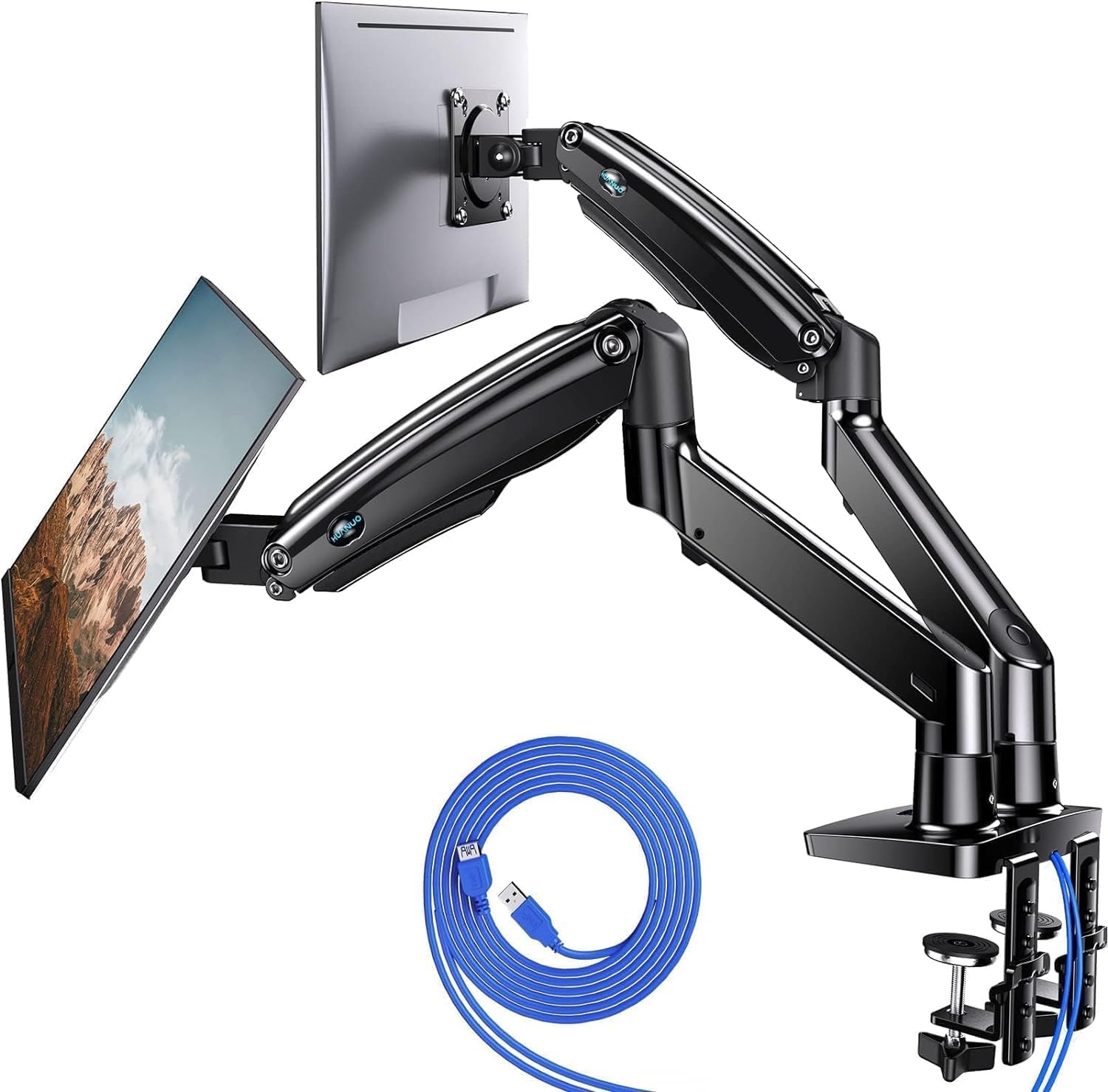
This HUANUO FlowLift dual monitor arm review looks at a mount for compatible screens and desks, with full-motion positioning and cable management.
FlowLift Dual Monitor Review Summary
The quick verdict

34,000+ ratings
Read Amazon ReviewsHUANUO FlowLift Dual Monitor Stand
A dual monitor arm for buyers with compatible screens and a suitable wooden desk who want flexible positioning and more open workspace.
- Fits screens from 13 to 32 inches, weighing 4.4 to 19.8 pounds per arm, with VESA 75x75 or 100x100 mounting holes.
- Offers +85°/-50° tilt, ±90° swivel, and 360° rotation.
- Raises monitors up to 15.75 inches.
- Uses a dual C-clamp base, with grommet mounting also available.

Pros
- Broad movement range with tilt, swivel, and full rotation.
- Height adjustment supports different viewing positions.
Consider before buying
- Screen fit is limited by size, weight, and VESA pattern; confirm all three for each display.
- The recommended desk surface is wooden; plastic and glass desks are not suitable.
Read the full review summary
FlowLift suits a two-screen workstation when each display is within its supported size and weight ranges and has the right VESA pattern.
Its tilt, swivel, rotation, and height adjustment give buyers several ways to arrange screens for work, gaming, or video calls.
The mount can clear desk space beneath both monitors and route cables along its arms.
It is a better fit for buyers whose wooden desk meets the mounting requirements; monitor weight, VESA pattern, desk thickness, and underside clearance all need checking before purchase.
The buying factors
FlowLift Dual Monitor Scorecard
Editorial scores reflect listed features and buyer fit; they are not laboratory measurements or customer ratings.
Screen compatibility
The stated screen-size range covers many common computer displays, with explicit per-arm weight and VESA requirements to verify.
Positioning flexibility
Tilt, swivel, rotation, and height adjustment offer multiple ways to position each screen.
Desk-space use
Lifting both screens off the desktop can leave more room for everyday workstation items.
Cable organization
Cable guides built into the arms help keep cords routed out of the way.
Mounting flexibility
C-clamp and grommet installation options add choice, while desk material, thickness, and underside clearance constrain fit.
Workspace fit
The desk must be wooden and free of cross beams or panels at the mounting point, so compatibility needs careful checking.
Key Features and Specifications of FlowLift Dual Monitor
- Fits screens from 13 to 32 inches, weighing 4.4 to 19.8 pounds per arm, with VESA 75x75 or 100x100 mounting holes.
- Offers +85°/-50° tilt, ±90° swivel, and 360° rotation.
- Raises monitors up to 15.75 inches.
- Uses a dual C-clamp base, with grommet mounting also available.
- Requires a wooden desk 0.59 to 3.54 inches thick, without cross beams or panels under the mounting area.
- Built-in cable management guides wires along the arms and the elevated screens free desktop space.
Pros and Cons of FlowLift Dual Monitor
Pros
- Broad movement range with tilt, swivel, and full rotation.
- Height adjustment supports different viewing positions.
- C-clamp and grommet options accommodate more than one mounting approach.
- The arms help route cables and keep monitors off the desktop.
Consider before buying
- Screen fit is limited by size, weight, and VESA pattern; confirm all three for each display.
- The recommended desk surface is wooden; plastic and glass desks are not suitable.
- Desk thickness must fall within the specified range, and cross beams or panels can interfere with installation.
Who Should Buy FlowLift Dual Monitor?
Good fit
Choose FlowLift if you have two compatible monitors and want to move them between work, gaming, and video-call positions. Its tilt, swivel, rotation, and height adjustment give a dual-screen setup room to adapt as tasks change.
It also fits buyers seeking a clearer desktop: raising both displays frees room below, while the arm guides help keep cords organized. Those benefits make sense for a workstation where keyboard, notebook, or docking station space matters.
Before ordering, measure the desk and check its material, thickness, underside clearance, and each monitor’s size, weight, and VESA holes. A compatible setup is essential for using the mount as intended.
Who should skip it
Skip it if either display falls outside the supported size or weight range, or lacks the required VESA holes; those are core compatibility conditions.
It is also a poor match for glass or plastic desks, or for a desk whose underside blocks clamp installation. Check these constraints before choosing a mount.
HUANUO FlowLift Dual Monitor: Fit and Flexibility
Check screen compatibility first
FlowLift is intended for two displays in the 13-to-32-inch range, with each arm carrying 4.4 to 19.8 pounds. Both monitors also need VESA holes at 75x75 or 100x100 spacing.
These checks determine whether the mounting arms can be used with your current screens.
Match the mount to your desk
The installation options are a dual C-clamp or a grommet mount, but the desk requirements narrow where they work: the recommendation is a wooden surface between 0.59 and 3.54 inches thick, with no cross beams or panels underneath the mounting point.
Measure before buying, especially if the desk has a thick edge or an obstructed underside.
Use the movement to suit the task
The arms offer tilt, swivel, and rotation, plus a lift of up to 15.75 inches.
That combination is useful when you want to angle screens toward different seats, turn one for portrait work, or set their height for the viewing position you prefer.
These are adjustment options; the best arrangement depends on your desk and daily setup.
Trade desk clutter for cable routing
By holding displays above the desk and routing cords along the arms, FlowLift can make the work surface easier to organize.
This is most useful when you want space for everyday items such as a keyboard, notebook, or docking station.
Check that the monitor and desk fit first, since cable routing and reclaimed surface space do not solve compatibility issues.
Alternatives to FlowLift Dual Monitor
Computer Monitor Arms alternative
5,000+ ratings
Read Amazon ReviewsHUANUO Dual Monitor Stand HNDS7
Pick HNDS7 if your screens exceed FlowLift’s supported size or weight limits, or if built-in USB ports suit your desk setup; FlowLift remains the fit when its lower capacity and lift range are enough.
- HNDS7 supports screens up to 40 inches and 26.4 pounds per arm, raises up to 21.1 inches, and includes two built-in USB ports with a 5.25-foot USB cable.
- FlowLift supports 13–32-inch screens weighing 4.4 to 19.8 pounds per arm, with a maximum lift of 15.75 inches.
Computer Monitor Arms alternative
10,000+ ratings
Read Amazon ReviewsHUANUO Stacked Monitor Mount
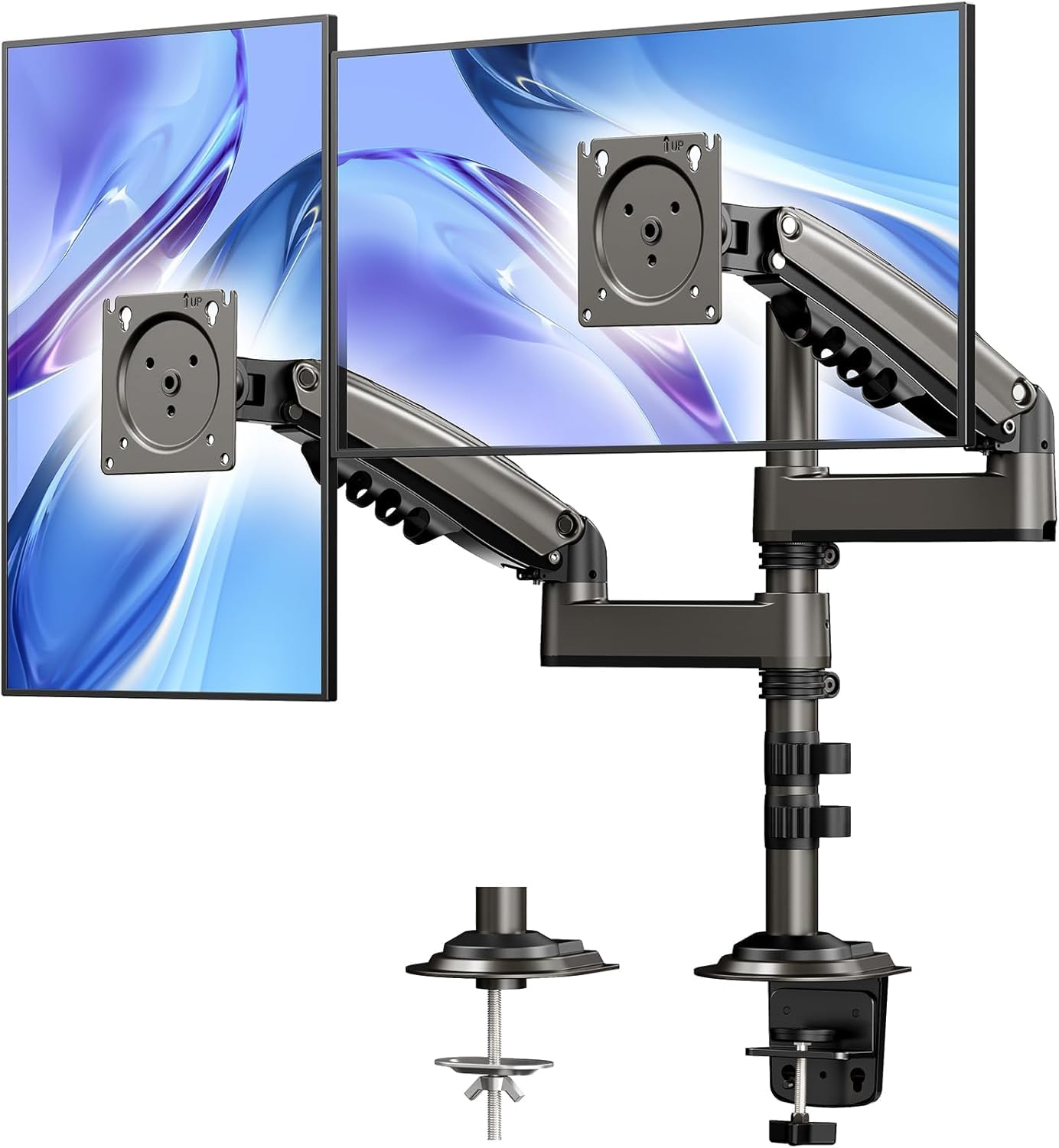
Choose the stacked mount if you want a vertical arrangement and need more lift; choose FlowLift if its lift range and broader tilt and swivel angles better suit your preferred layout.
- The HUANUO Stacked Monitor Mount uses a vertical dual-screen layout and raises monitors up to 25.19 inches. It offers 90° tilt, 180° swivel, and 360° rotation.
- FlowLift lifts monitors up to 15.75 inches and allows +85°/-50° tilt, ±90° swivel, and 360° rotation.
Is FlowLift Dual Monitor Worth It?
HUANUO FlowLift Dual Monitor Stand is worth considering if both displays meet its size, weight, and VESA requirements and your wooden desk fits the mounting constraints.
The adjustable arms, height range, and cable guides make it a flexible choice for a two-screen workstation.
Measure first and pass if your displays exceed the supported limits or the desk material, thickness, or underside blocks installation.
For a compatible setup, FlowLift offers an adaptable way to free desktop space and position two screens around everyday tasks.
Your review at a glance
34,000+ ratings
Read Amazon ReviewsHUANUO FlowLift Dual Monitor Stand
A dual monitor arm for buyers with compatible screens and a suitable wooden desk who want flexible positioning and more open workspace.
- Fits screens from 13 to 32 inches, weighing 4.4 to 19.8 pounds per arm, with VESA 75x75 or 100x100 mounting holes.
- Offers +85°/-50° tilt, ±90° swivel, and 360° rotation.
- Raises monitors up to 15.75 inches.
- Uses a dual C-clamp base, with grommet mounting also available.