The best wireless mice for campus life balance comfortable daily use with the connectivity and portability your classes or work require. This selection spans compact travel models, ergonomic designs, multi-device options, and gaming mice so you can match the features to your setup.
Quick Top Products
JLab GO Charge Wireless Mouse
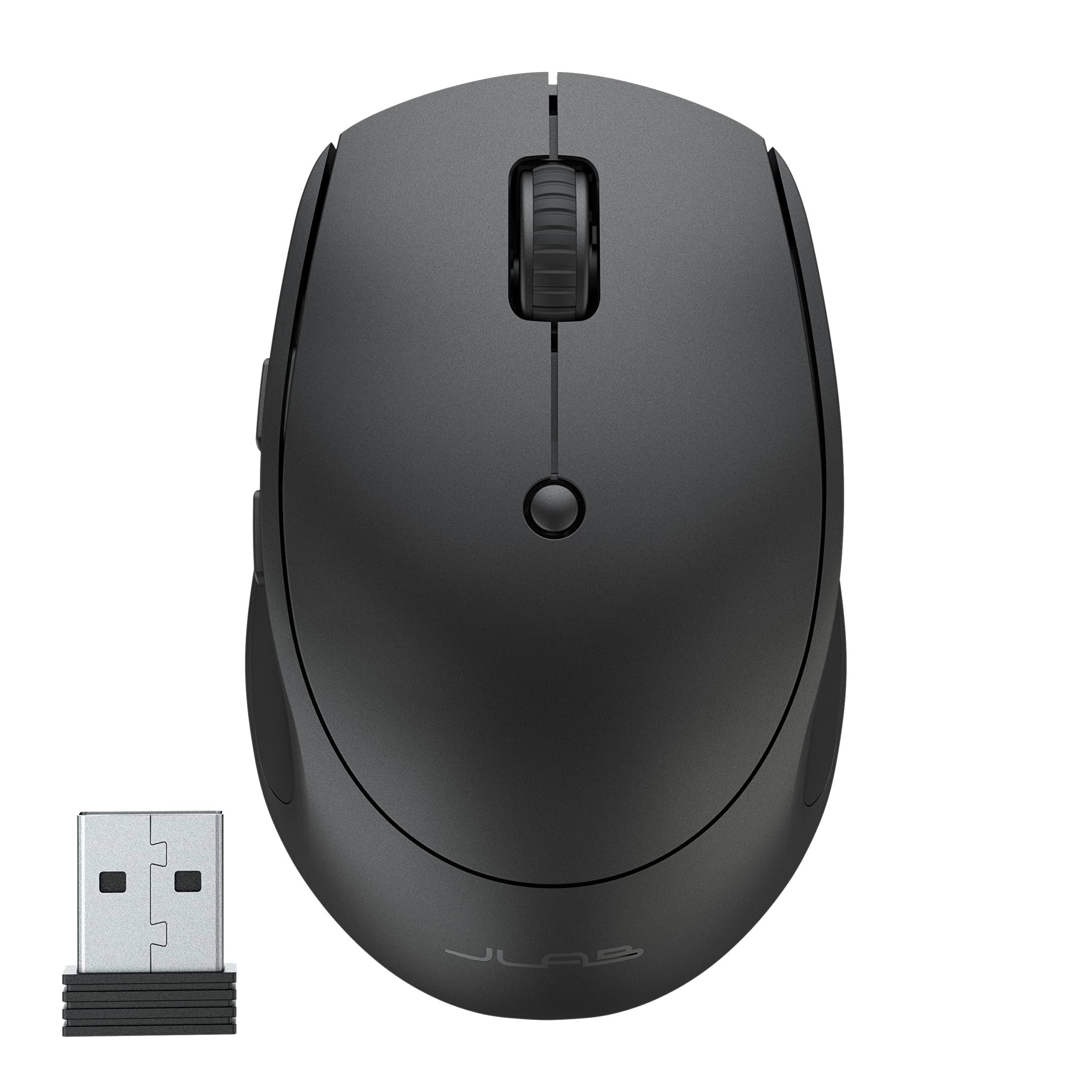
- Pairs with up to three devices using Bluetooth 5 or a USB wireless dongle.
- Compact, lightweight design with silent click buttons for shared study spaces.
- Rechargeable battery lasts 4+ months per charge.
Best For: Students carrying a compact mouse between classes and switching among several devices.

ESR MagMouse
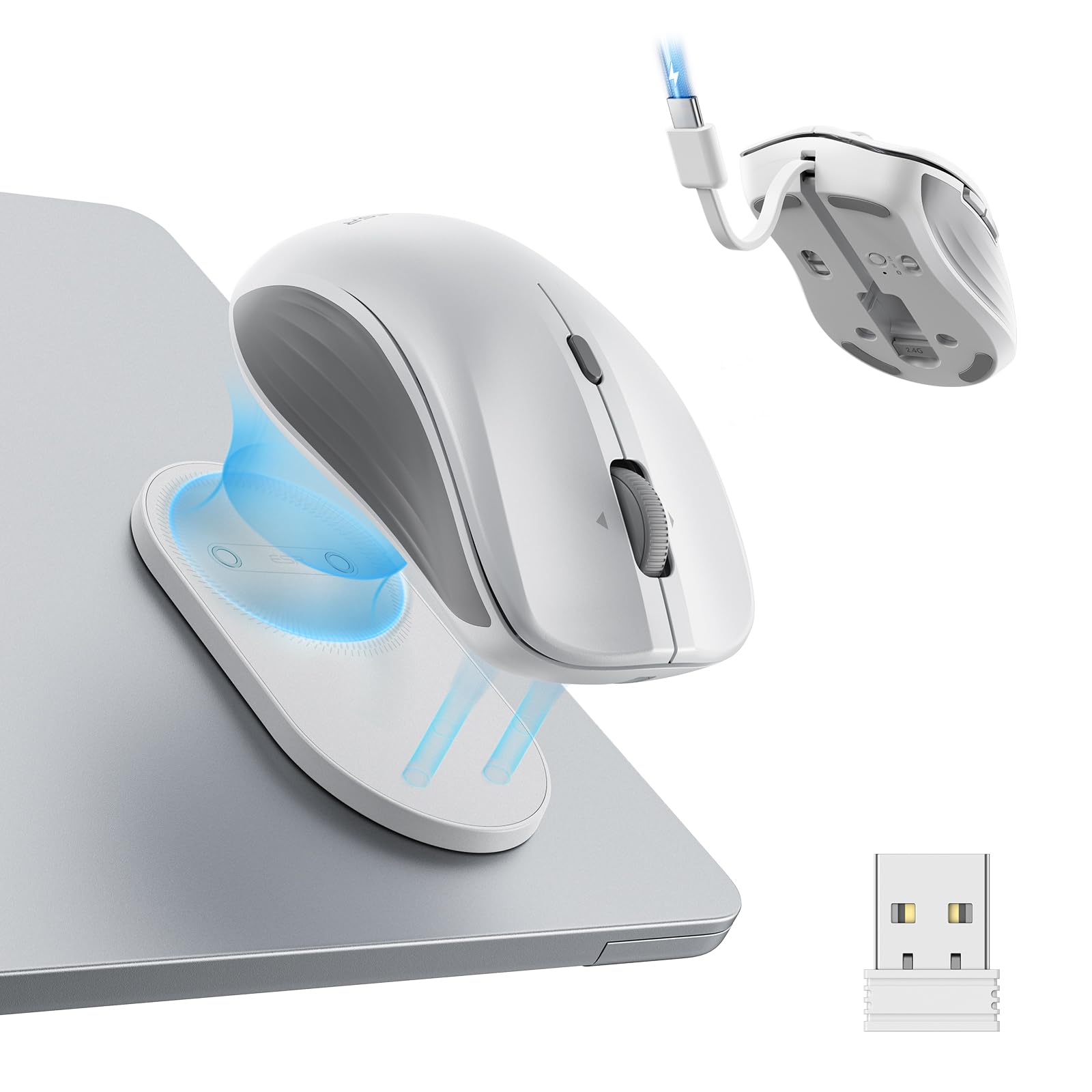
- Magnetic base snaps on and off, with a reusable residue-free adhesive holder.
- Connects through Bluetooth 5.0 or a 2.4 GHz wireless dongle.
- Four-way scrolling and six selectable DPI levels support varied tasks.
Best For: Laptop users who want a mouse holder that attaches to a device or surface for carrying.
JLab JBuds Wireless Mouse
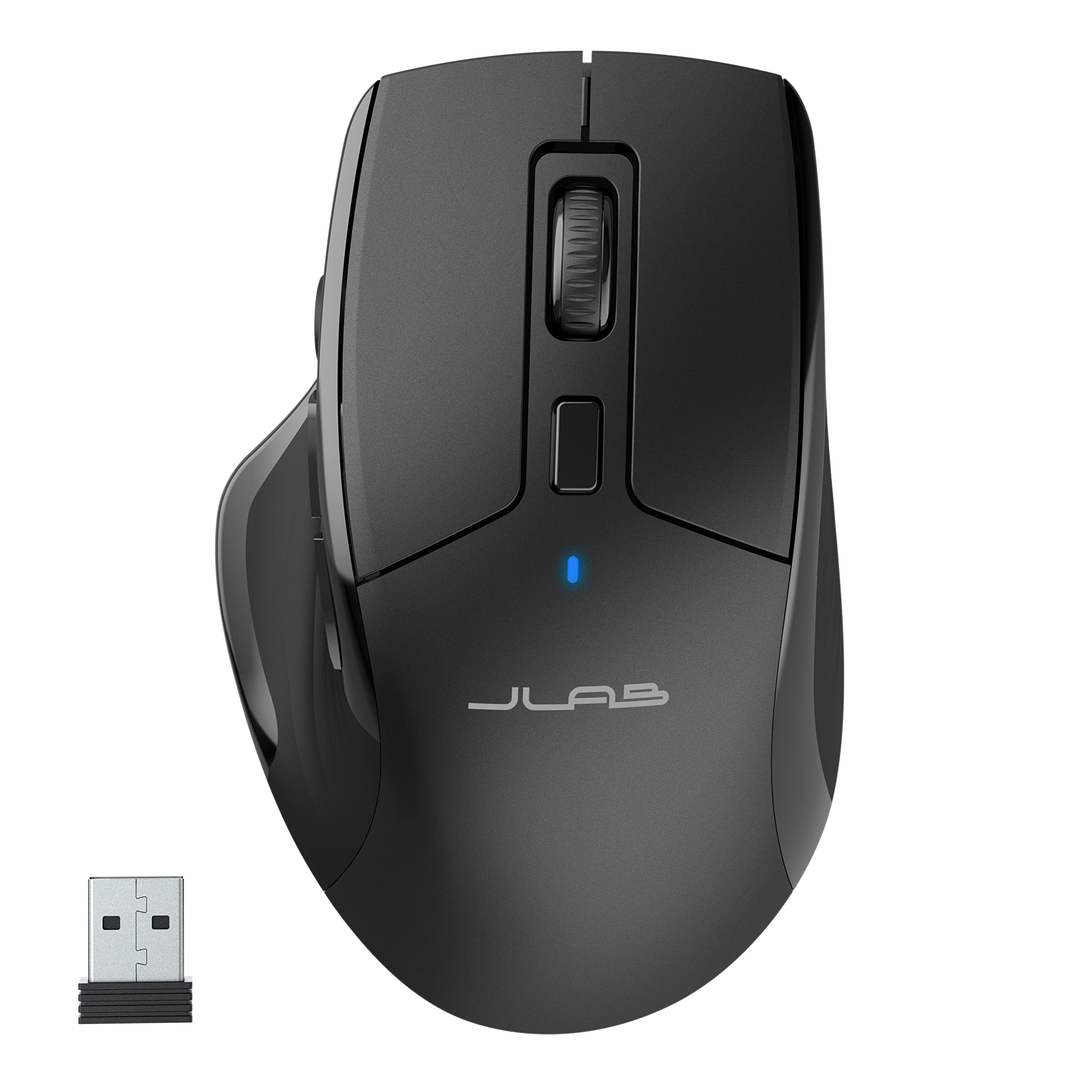
- Connects to up to three devices through Bluetooth 5.2 or a USB dongle.
- Full-size ergonomic design includes silent click buttons.
- Seven programmable buttons can be remapped in the JLab Work app.
Best For: Students who want a full-size mouse with quiet clicks and device switching for desk work.
JLab Epic Wireless Mouse
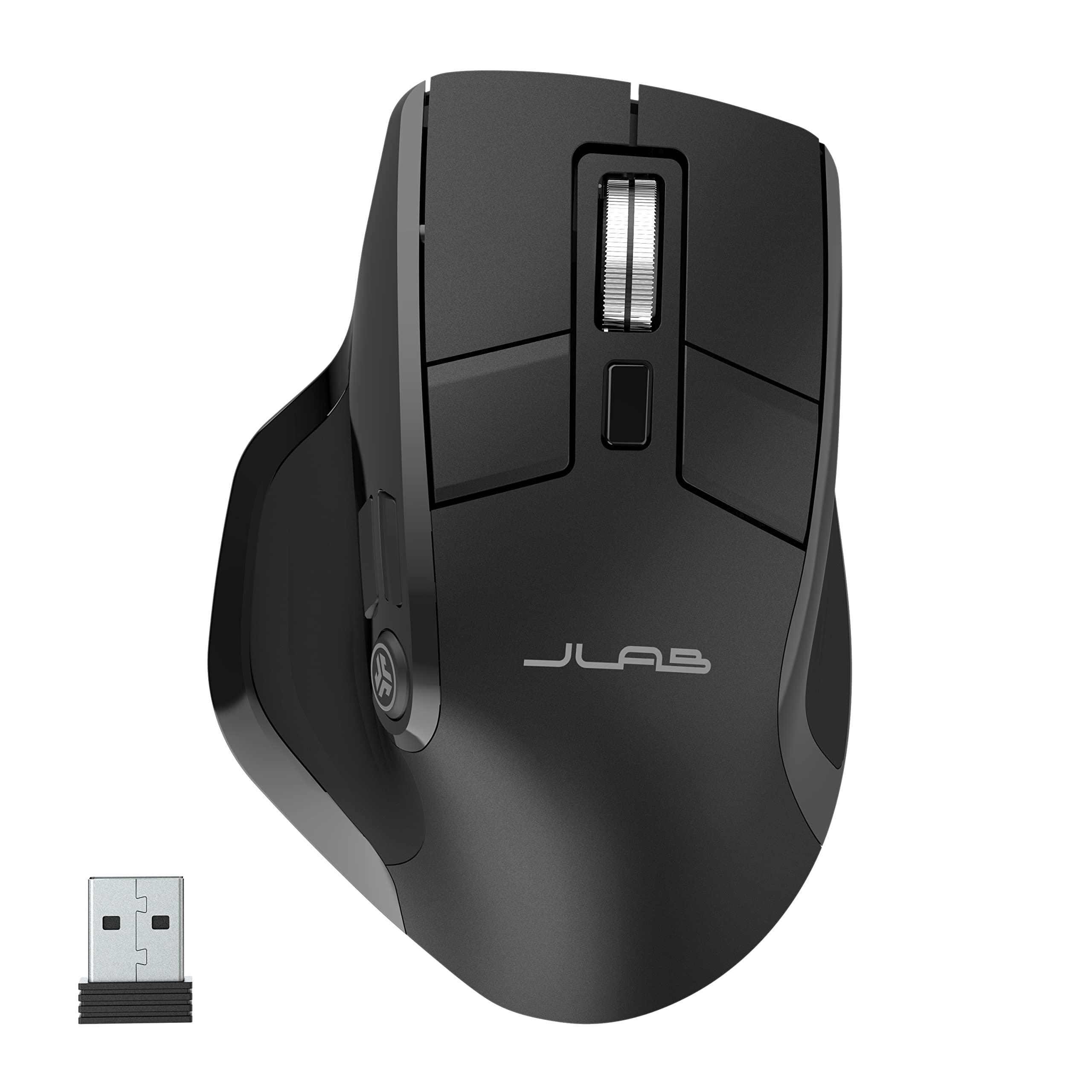
- OLED screen shows current DPI and battery level.
- Connects over Bluetooth 5.2 or a USB wireless dongle and toggles among three devices.
- Supports up to three custom button profiles through the JLab app.
Best For: Desk users who want visible battery and DPI status plus customizable multi-device profiles.
JLab Epic Wireless Mouse (4 Pack)
- The offer contains four JLab Epic wireless mice.
- Each mouse supports Bluetooth and USB dongle connectivity.
- The notes describe adjustable tracking and custom user profiles.
Best For: Buyers seeking several matching full-size mice with Bluetooth and dongle connectivity.
SABRENT Mini Travel Wireless Mouse
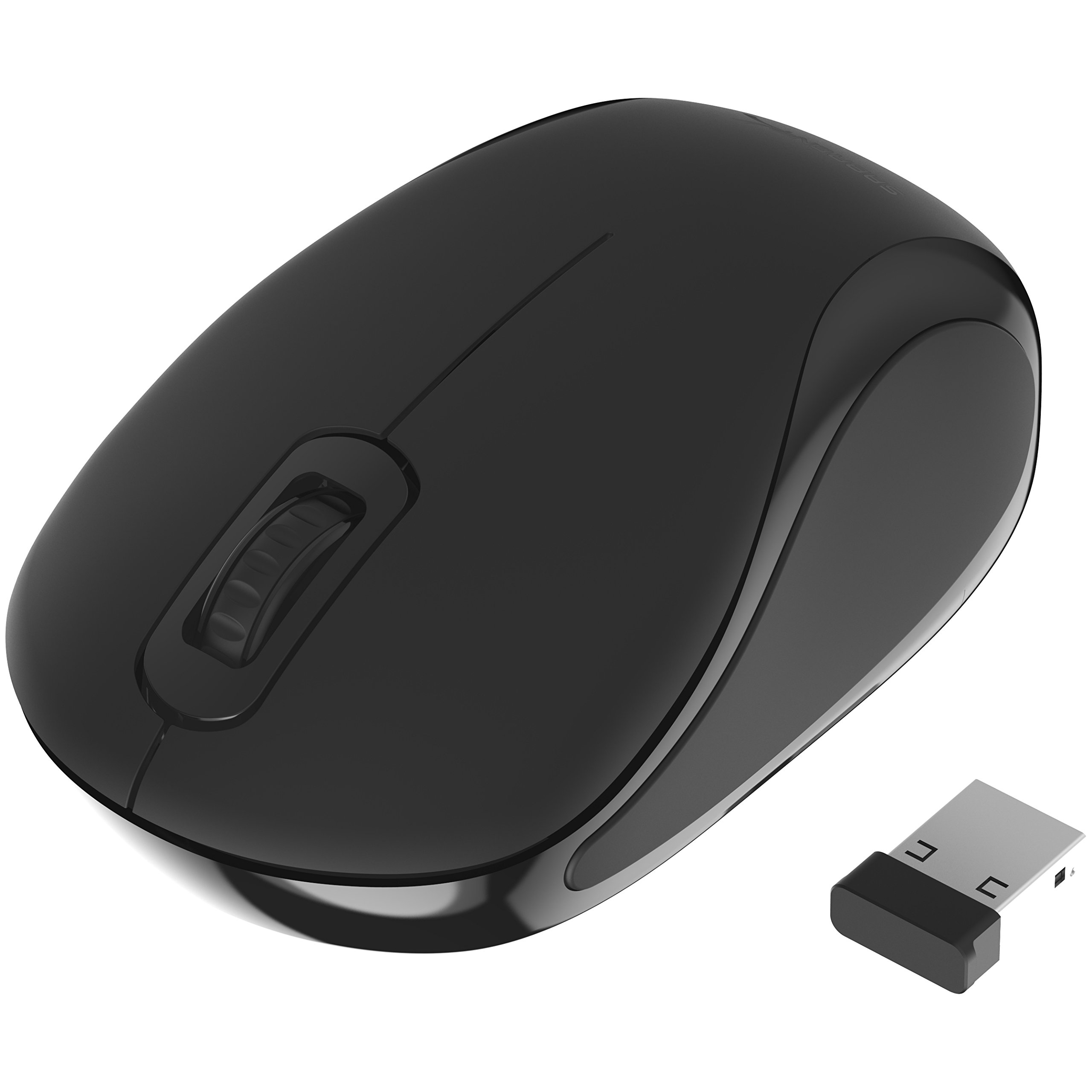
- Mini travel design uses a 2.4 GHz connection and nano receiver.
- Optical tracking is rated at 1200 dpi.
- Ambidextrous design with three buttons.
Best For: Laptop users who want a small, ambidextrous mouse with a nano receiver for basic travel use.
SABRENT Rechargeable Wireless Mouse
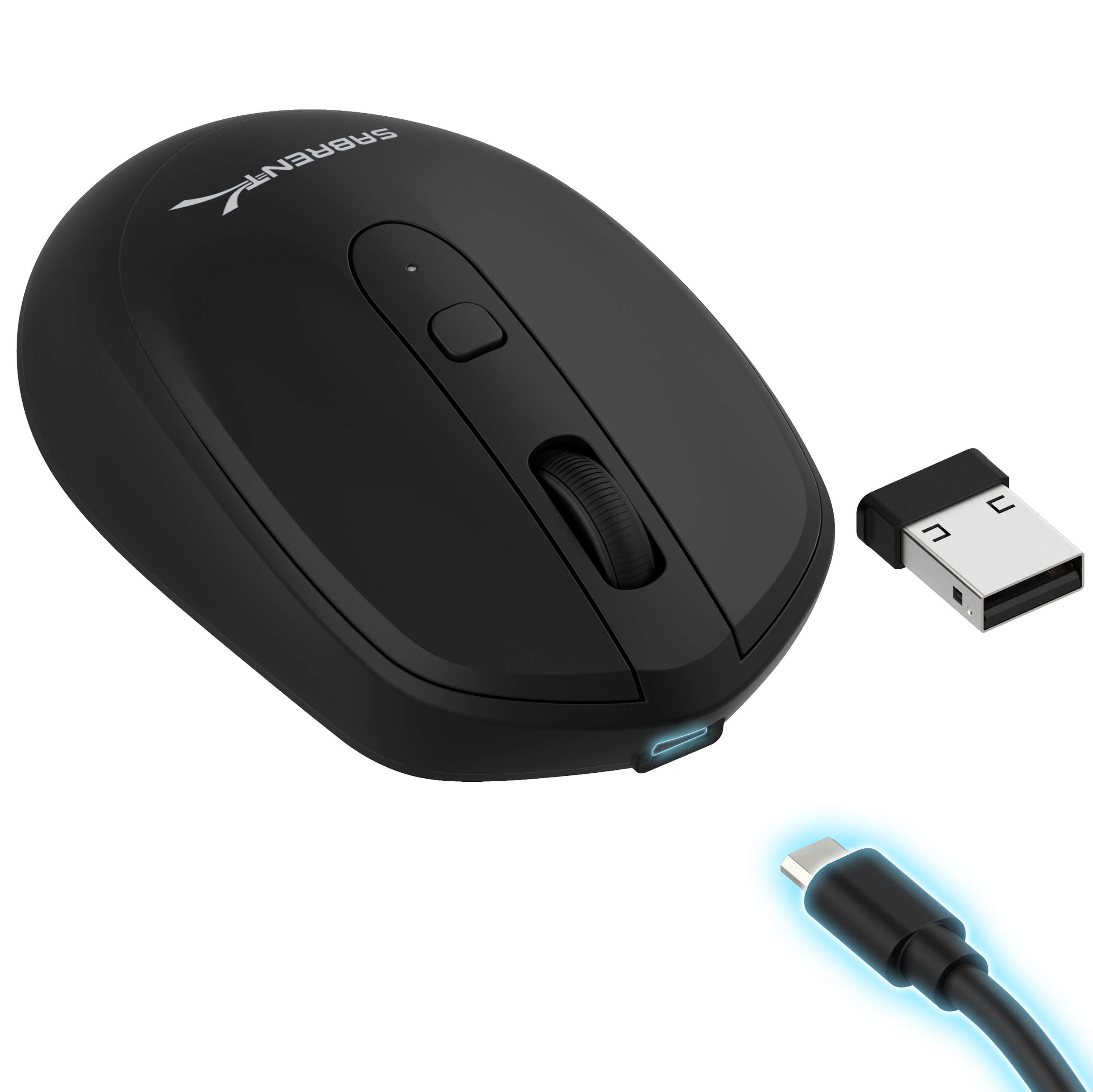
- 2.4 GHz wireless connection with adjustable 800, 1200, and 1600 DPI.
- Rechargeable 600 mAh lithium battery.
- Three buttons and a DPI toggle button.
Best For: Users who want a basic rechargeable mouse with adjustable cursor sensitivity.
Contour Unimouse Wireless
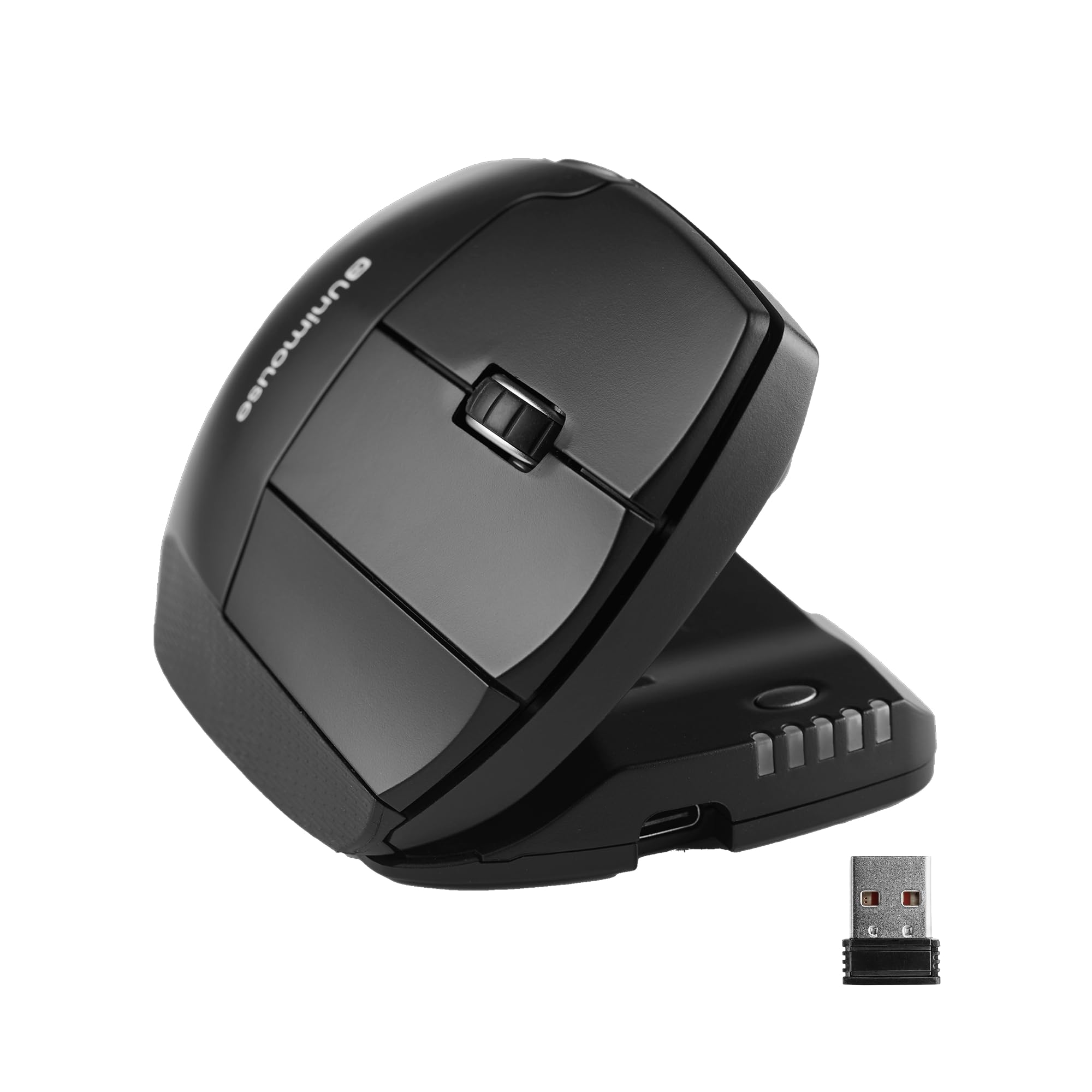
- Adjustable tilt from 35° to 70° and movable thumb support.
- Right-handed vertical design with six programmable buttons.
- Rechargeable battery lasts up to 12 weeks per charge.
Best For: Right-handed users who want to adjust a vertical mouse angle and thumb support to their grip.
SteelSeries Prime Wireless
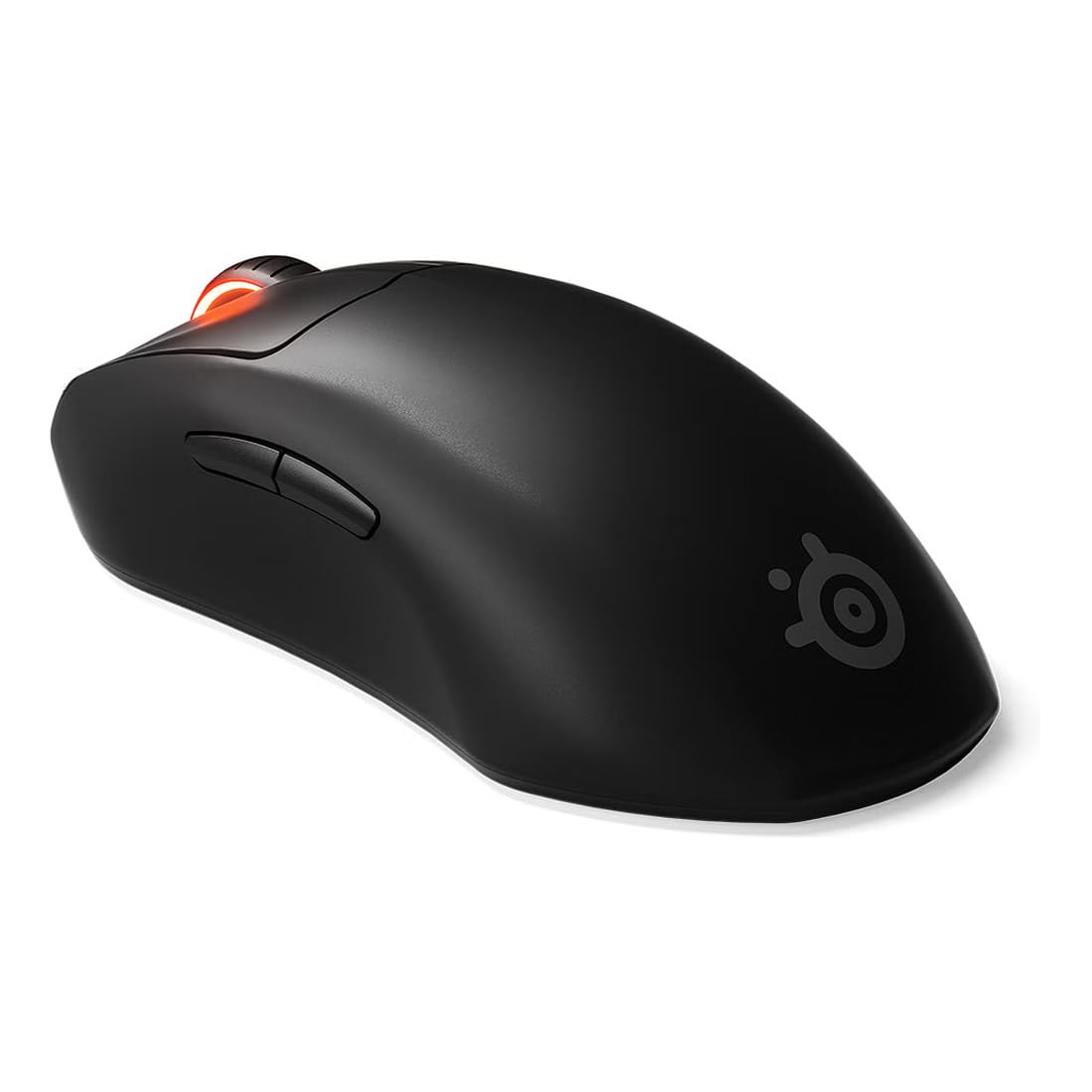
- TrueMove Air sensor rated at 18K CPI, 400 IPS, and 40G.
- Optical magnetic switches are rated for 100 million clicks.
- Right-handed shape supports finger, palm, and claw grips.
Best For: Right-handed gamers who want a focused wireless mouse for FPS play with a 100-hour battery claim.
SteelSeries Rival 3 Wireless Gen 2
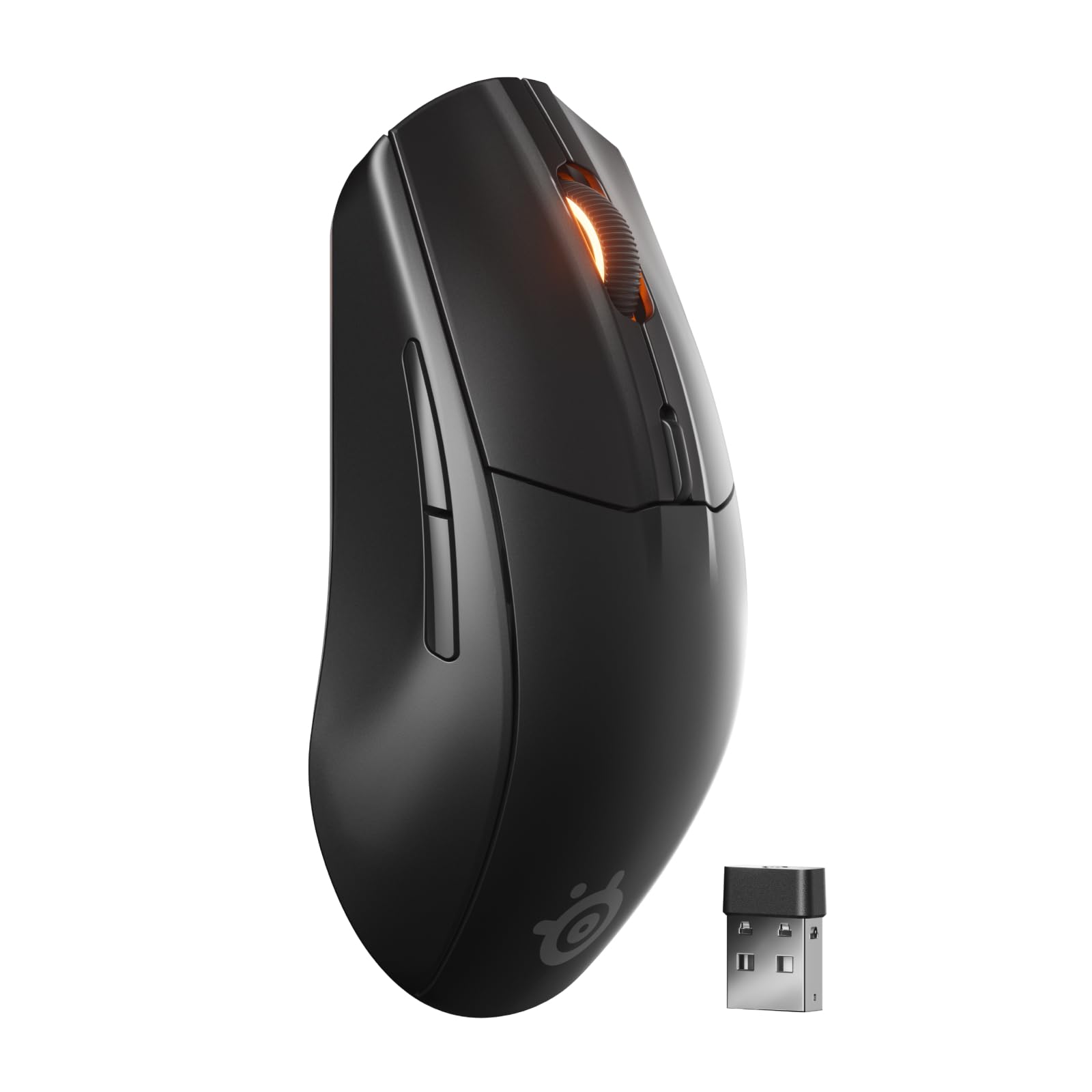
- Switches between 2.4 GHz and Bluetooth wireless connections.
- TrueMove Air optical sensor rated at 18K DPI.
- Rated for up to 200 hours on 2.4 GHz or 450 hours on Bluetooth with one AAA battery.
Best For: Users seeking one mouse for 2.4 GHz gaming and Bluetooth-connected devices.
Compact Mouse for Multi-Device Work
JLab, GO Charge, Wireless Mouse, Bluetooth, USB Dongle, Multi-Device, Compact, Rechargeable, Black
The JLab GO Charge is a compact wireless mouse built for work on the go. It pairs with up to three devices through Bluetooth 5 or a USB wireless dongle, making it useful when you move between a laptop, tablet, and desktop.
Adjustable DPI tracking lets you set cursor speed, and silent click buttons suit quiet study spaces. Its rechargeable battery is rated for 4+ months per charge, and the compact design is made to slip into a bag.
Check the shape and control layout against your hand and daily tasks before choosing a small travel mouse.
Best For: Students carrying a compact mouse between classes and switching among several devices.
| Pros | Cons |
|---|---|
|
|
Choose the GO Charge if portability and switching between devices matter more than a full-size shape. The silent buttons and long stated battery life also suit shared study spaces where click noise and frequent charging are inconvenient.
The product record does not provide dimensions or battery capacity, so check whether its compact form fits your hand and whether you need those specifications before buying.
Snap-On Laptop Carry Option
ESR MagMouse Snap-to-Carry Bluetooth Mouse, Wireless Mouse for Laptop | Rechargeable Mouse with Built-in Charging Cable, Reusable Adhesive Holder, BT 5.0 + 2.4 GHz Connectivity, Ergonomic, White
The ESR MagMouse is designed around a magnetic base and holder that snap together for carrying. Its base attaches with reusable residue-free adhesive, so consider where you would place it before relying on the setup.
For daily work, it connects through Bluetooth 5.0 or a 2.4 GHz dongle, and its four-way scroll wheel can move through documents and wide spreadsheets. Six DPI settings provide several cursor-speed choices.
The built-in USB-C charging cable avoids carrying a separate cable, while the seller's stated charge and use figures offer a useful reference for people who work away from an outlet.
Best For: Laptop users who want a mouse holder that attaches to a device or surface for carrying.
| Pros | Cons |
|---|---|
|
|
The MagMouse fits students and mobile workers who want their mouse secured alongside a laptop and value four-way scrolling. Its attachment depends on a reusable adhesive base, so decide where that base can stay and whether the arrangement suits your bag or device.
Choose another option if you prefer a conventional standalone mouse without an adhesive holder.
Full-Size Silent Multi-Device Mouse
JLab, JBuds, Wireless Mouse, Bluetooth, USB Dongle, Multi-Device, Silent Click, Full-Size, Black
The JLab JBuds is a rechargeable full-size mouse for a desk-based workflow across multiple devices. It can connect to up to three devices over Bluetooth 5.2 or a USB wireless dongle, and its toggle makes it possible to switch between them.
The ergonomic shape is intended for all-day comfort, while silent click buttons reduce noise in shared offices and during calls. Adjustable DPI tracking provides cursor-speed control, and seven programmable buttons can be remapped through the JLab Work app.
Check that you are comfortable using an app to configure buttons and that the full-size form suits your available desk space.
Best For: Students who want a full-size mouse with quiet clicks and device switching for desk work.
| Pros | Cons |
|---|---|
|
|
Pick the JBuds if you prefer a full-size shape and regularly switch between as many as three devices. Its silent buttons help in quiet campus spaces, and the programmable controls offer a way to tailor shortcuts.
Battery runtime is not given here, so compare charging expectations with your routine. Also consider whether using the JLab Work app for remapping fits your setup.
OLED Status and Profile Controls
JLab, Epic, Wireless Mouse, Bluetooth, Multi-Device, OLED Display, Full-Size
This JLab Epic combines a full-size ergonomic shape with an OLED screen that displays battery level and current DPI. The display makes those settings visible at a glance, and adjustable tracking helps tailor cursor speed for tasks such as spreadsheets or design work.
Bluetooth 5.2 and a USB wireless dongle provide two connection methods, with support for toggling among up to three paired devices. The JLab Work app can store up to three custom button profiles.
If battery capacity is a deciding factor, note that the product has an 800 mAh rechargeable battery; runtime per charge is not stated here.
Best For: Desk users who want visible battery and DPI status plus customizable multi-device profiles.
| Pros | Cons |
|---|---|
|
|
Choose the Epic if seeing DPI and battery status directly on the mouse is useful and you want profiles for different tasks or devices. The full-size shape and quiet buttons favor desk work over ultralight travel.
Its 800 mAh capacity is specified, but runtime is not, so consider whether you are comfortable judging charging needs without an hours-per-charge figure.
Multi-Device Mouse with OLED Display
JLab Epic Wireless Mouse, Bluetooth & USB dongle, Multi-Device, OLED Display, Full-Size, 4 Pack
This offer is a four-pack of JLab Epic wireless mice, so it makes sense when you need matching units for multiple workstations or people. Each mouse is full-size and supports Bluetooth or a USB wireless dongle, along with multi-device switching and an OLED display.
The product notes also describe adjustable tracking, custom user profiles, and a rechargeable battery. The four-pack nature is the key buying distinction: if you only need one mouse, compare against the individual Epic offer instead.
Battery runtime and the detailed display functions are not specified in this record, so verify those needs before choosing the bundle.
Best For: Buyers seeking several matching full-size mice with Bluetooth and dongle connectivity.
| Pros | Cons |
|---|---|
|
|
This bundle suits a campus office, shared workspace, or household that needs several matching mice. Its connectivity and adjustable tracking are relevant to everyday computer use, but the bundle format is poor fit if you need only one unit; the individual Epic offer is also among these candidates.
Confirm the bundle's included configuration and battery runtime if those details affect your choice.
Simple Mini Travel Mouse
SABRENT Mini Travel 2.4GHz Wireless Mouse with Nano Receiver (MS-WSML)
The SABRENT Mini Travel mouse keeps its feature set straightforward: it uses a 2.4 GHz wireless connection with a nano receiver and optical tracking rated at 1200 dpi. Its mini travel design and 2-ounce weight make it a compact candidate for a laptop bag.
The mouse has three buttons and an ambidextrous orientation, which can suit different users sharing a computer. It requires one AAA battery, so plan to carry or replace a battery rather than charging it by cable.
Compatibility information names older Windows versions and Mac OS X; check your current device and operating system before purchase.
Best For: Laptop users who want a small, ambidextrous mouse with a nano receiver for basic travel use.
| Pros | Cons |
|---|---|
|
|
The SABRENT Mini is a practical fit for someone who wants a small, uncomplicated mouse and does not need Bluetooth or rechargeable power. Its receiver-based connection and 1200 dpi optical tracking cover basic laptop navigation.
Before buying, check operating-system compatibility for your current device and account for the AAA battery. The available notes do not describe advanced buttons or multi-device switching.
Rechargeable Budget 2.4 GHz Option
SABRENT 2.4GHz Rechargeable Wireless Mouse with Adjustable Resolution (MS-RCWM)
The SABRENT rechargeable mouse is a simple option for everyday computer use. It connects over 2.4 GHz wireless and has three buttons plus a DPI toggle for switching among 800, 1200, and 1600 settings.
Its 600 mAh lithium battery is rechargeable, and the notes specify fast charging at 3.7V and 20mA. This focused feature set suits users who want adjustable sensitivity without a larger set of programmable controls.
Battery runtime, charging connector, and dimensions are not specified, so check those details if charging convenience or travel size will affect your choice.
Best For: Users who want a basic rechargeable mouse with adjustable cursor sensitivity.
| Pros | Cons |
|---|---|
|
|
Consider this SABRENT if you want a rechargeable mouse with a few DPI choices and a simple button layout. It connects through 2.4 GHz, so confirm that a receiver-based setup works for your device.
Runtime and charging connector are not provided, making it harder to plan charging for travel. Choose a multi-device model if switching among a laptop, tablet, and desktop is important.
Adjustable Vertical Grip
Contour Unimouse Ergonomic Vertical Mouse Adjustable 35°-70° Tilt Angle, 6 Programmable Buttons for Productivity, Customizable Thumb Rest for Wrist Pain Relief | Plug & Play Mac/PC - Wireless - Right
The Contour Unimouse is a right-handed vertical wireless mouse with several physical adjustments. Its tilt angle can be set from 35° to 70°, while the thumb support moves in multiple directions and rotates.
That flexibility lets users tune the grip instead of settling for one fixed angle. Six programmable buttons and a scroll wheel support productivity tasks, and the rechargeable battery is rated for up to 12 weeks per charge.
It connects through a cordless USB receiver and is compatible with Windows and macOS. Check that a right-hand vertical shape fits your preferences and desk habits before buying.
Best For: Right-handed users who want to adjust a vertical mouse angle and thumb support to their grip.
| Pros | Cons |
|---|---|
|
|
Choose the Unimouse if a vertical shape appeals to you and you want to adjust its tilt and thumb support rather than use a fixed grip. The right-hand-only design makes hand orientation an important fit check.
Its USB receiver also needs an available compatible port, and the battery figure is an upper limit of up to 12 weeks rather than a guaranteed duration for every use pattern.
Right-Handed FPS Gaming Shape
SteelSeries Esports Wireless FPS Gaming Mouse - Ultra Lightweight, Prime Programmable, 18K CPI Sensor, Magnetic Optical Switches, PC/Mac, Black
The SteelSeries Prime Wireless is shaped for right-handed use and targets FPS gaming. It has a TrueMove Air sensor rated at 18K CPI, optical magnetic switches, and six buttons.
The product notes give a 100-hour battery life and describe Quantum 2.0 wireless transmission with fast charging. Its design is intended to accommodate finger, palm, and claw grip styles, which provides useful context for choosing a gaming mouse by hand position.
This is a dedicated gaming model rather than a compact campus travel mouse, so consider its shape and gaming-oriented controls against your everyday coursework needs.
Best For: Right-handed gamers who want a focused wireless mouse for FPS play with a 100-hour battery claim.
| Pros | Cons |
|---|---|
|
|
The Prime Wireless suits a right-handed player who prioritizes an FPS-oriented shape, sensor, and switches. Its six-button layout is more focused than the multi-device productivity mice in this selection.
Check that the right-handed form and gaming controls fit your ordinary desk work too. Bluetooth and multi-device pairing are not specified, so do not assume it can switch easily among a laptop and other devices.
Dual-Mode Gaming and Everyday Use
SteelSeries Rival 3 Wireless Gen 2 Gaming Mouse — 2.4GHz and Bluetooth — 18000 DPI TrueMove Air Optical Sensor — 60 Million Click Durability — Light-Weight — 100% PTFE Feet — Black
The Rival 3 Wireless Gen 2 combines gaming-focused tracking with two wireless connection modes. It switches between 2.4 GHz and Bluetooth, so it can serve a gaming setup and other compatible devices.
The TrueMove Air optical sensor is rated at 18,000 DPI, and the notes give click latency of 1.9 ms. Battery life is rated at up to 200 hours on 2.4 GHz or up to 450 hours on Bluetooth using one AAA battery. Those are different connection modes with different stated runtimes; consider whether you prefer replaceable battery power over a rechargeable design.
Best For: Users seeking one mouse for 2.4 GHz gaming and Bluetooth-connected devices.
| Pros | Cons |
|---|---|
|
|
Pick the Rival 3 Gen 2 if you want gaming-oriented tracking plus a Bluetooth option for another device. Its battery figures differ by connection mode, and it uses one AAA battery, so it is a different fit from the rechargeable mice in this guide.
Confirm whether switching among multiple paired devices is supported if that is part of your routine; the product notes establish two connection modes but not multi-device pairing capacity.
How to Choose Wireless Mice
How We Picked Best Wireless Mice
This selection focuses on wireless mice that fit recognizable campus and student-life needs: compact travel, quiet shared spaces, multi-device work, ergonomic adjustment, and gaming. We included models with different connection types and control layouts so readers can match a mouse to a laptop bag, study desk, or gaming station.
The candidates include straightforward receiver-based mice, Bluetooth and dongle options, rechargeable designs, and models that use an AAA battery. The multi-device options, vertical grip, OLED display, and gaming-focused sensors each serve a distinct buying purpose.
A four-pack appears because it is a supplied offer, but its bundle format makes it a better fit for multiple desks than for an individual shopper.
Comparing Wireless Mice for Campus and Gaming
Start with how you connect. Bluetooth can free a laptop from a USB receiver, while receiver-based 2.4 GHz remains central to several gaming and basic travel choices.
The JLab JBuds and Epic can switch among up to three devices; the ESR MagMouse and Rival 3 Gen 2 offer multiple connection methods, but check each model's stated device-switching support before assuming it handles the same workflow.
For bags and shared study tables, compact shapes and quiet buttons can matter more than gaming controls. The JLab GO Charge is compact and silent, the SABRENT Mini is a 2-ounce travel mouse with a nano receiver, and the ESR adds a holder that attaches with reusable adhesive.
Full-size options such as the JBuds and Epic are aimed more naturally at a desk setup.
Battery type and status are practical distinctions. Several JLab and Contour options are rechargeable, and the Epic has an OLED battery display.
The Rival 3 Gen 2 uses one AAA battery and gives separate runtime figures for Bluetooth and 2.4 GHz. The SABRENT rechargeable model identifies its battery capacity but not runtime, so charging expectations may be less clear from its listed features.
| Product | Standout features | Best for |
|---|---|---|
| JLab GO Charge Wireless MouseCheck Price |
| Students carrying a compact mouse between classes and switching among several devices. |
| ESR MagMouseCheck Price |
| Laptop users who want a mouse holder that attaches to a device or surface for carrying. |
| JLab JBuds Wireless MouseCheck Price |
| Students who want a full-size mouse with quiet clicks and device switching for desk work. |
| JLab Epic Wireless MouseCheck Price |
| Desk users who want visible battery and DPI status plus customizable multi-device profiles. |
| JLab Epic Wireless Mouse (4 Pack)Check Price |
| Buyers seeking several matching full-size mice with Bluetooth and dongle connectivity. |
| SABRENT Mini Travel Wireless MouseCheck Price |
| Laptop users who want a small, ambidextrous mouse with a nano receiver for basic travel use. |
| SABRENT Rechargeable Wireless MouseCheck Price |
| Users who want a basic rechargeable mouse with adjustable cursor sensitivity. |
| Contour Unimouse WirelessCheck Price |
| Right-handed users who want to adjust a vertical mouse angle and thumb support to their grip. |
| SteelSeries Prime WirelessCheck Price |
| Right-handed gamers who want a focused wireless mouse for FPS play with a 100-hour battery claim. |
| SteelSeries Rival 3 Wireless Gen 2Check Price |
| Users seeking one mouse for 2.4 GHz gaming and Bluetooth-connected devices. |
Choosing an Ergonomic Wireless Mouse for Study
A mouse's shape affects whether it suits a long writing or research session. The JLab JBuds and Epic use full-size ergonomic shapes, while the Contour Unimouse takes a more adjustable vertical approach with a movable thumb support and tilt range.
That adjustment is specific to right-handed users, so check hand orientation and whether the vertical form feels appropriate to your work before prioritizing its extra controls.
Silent buttons help when studying in a library, attending a call, or sharing a room. Both JLab JBuds and Epic include silent clicks, and the compact GO Charge also pairs quiet operation with easy carrying.
A full-size mouse may be easier to use at a desk, while a compact shape has a clearer advantage when bag space is the priority.
What Matters in a Wireless Gaming Mouse
For gaming, compare the controls and sensor details with your preferred games. SteelSeries Prime Wireless focuses on right-handed FPS play, with a sensor rated at 18K CPI and optical magnetic switches.
The Rival 3 Gen 2 offers an 18K DPI sensor and dual wireless modes, while the Aerox family candidates not selected also emphasize lightweight, feature-rich gaming designs. These figures describe different models and measurement terms, so compare the specific specifications that matter to your games rather than treating them as interchangeable.
A wireless gaming mouse may also work for ordinary laptop tasks, but the shape, buttons, and connection setup can be more specialized than needed for coursework. If gaming and campus use share one device, the Rival 3 Gen 2's Bluetooth mode is a useful distinction.
Verify whether the exact device-switching behavior suits your setup.
Who Should Buy Which Wireless Mouse
Choose the JLab GO Charge or SABRENT Mini for a portable everyday mouse, depending on whether you want multi-device Bluetooth and silent clicks or a simple nano-receiver design. For quiet, full-size desk work, compare the JBuds and Epic; the Epic adds OLED status and custom profiles, while the JBuds emphasizes a full-size shape and programmable buttons.
Choose the Contour Unimouse if you specifically want an adjustable right-handed vertical grip. For FPS play, consider the SteelSeries Prime Wireless; for a gaming mouse that also offers Bluetooth, consider the Rival 3 Wireless Gen 2.
The ESR MagMouse fits laptop users interested in an attachable carry holder, while the four-pack Epic offer is best reserved for shoppers who need multiple matching mice.