The best microphones for podcasting depend on your setup: USB models simplify recording, while USB/XLR options can carry into a mixer-based studio. These picks span desk-ready bundles, compact desktop mics and models with direct mute, monitoring or software controls.
Quick Top Products
Samson Q2U

- Connects by USB-C or XLR.
- Includes a desktop tripod stand and extension.
- Comes with both USB-C and XLR cables.
Best For: Podcasters who want a handheld dynamic mic with both computer and XLR connections.

MAONO PD300X
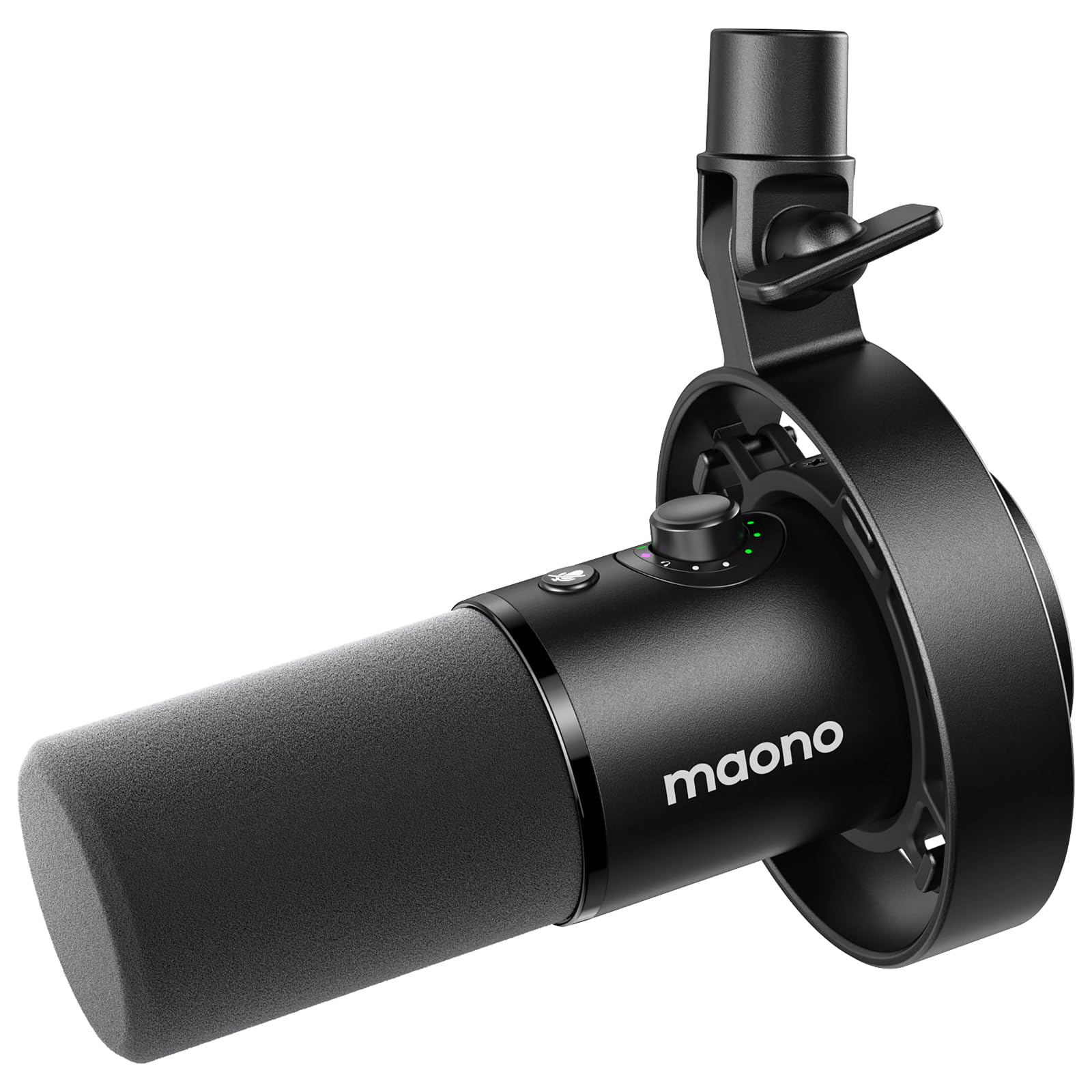
- Offers USB and XLR connectivity.
- MAONO Link includes EQ and audio-processing controls.
- The smart knob combines gain, headphone volume and monitoring.
Best For: Podcasters who want software tone controls and flexible USB/XLR connections.
MAONO PD400X
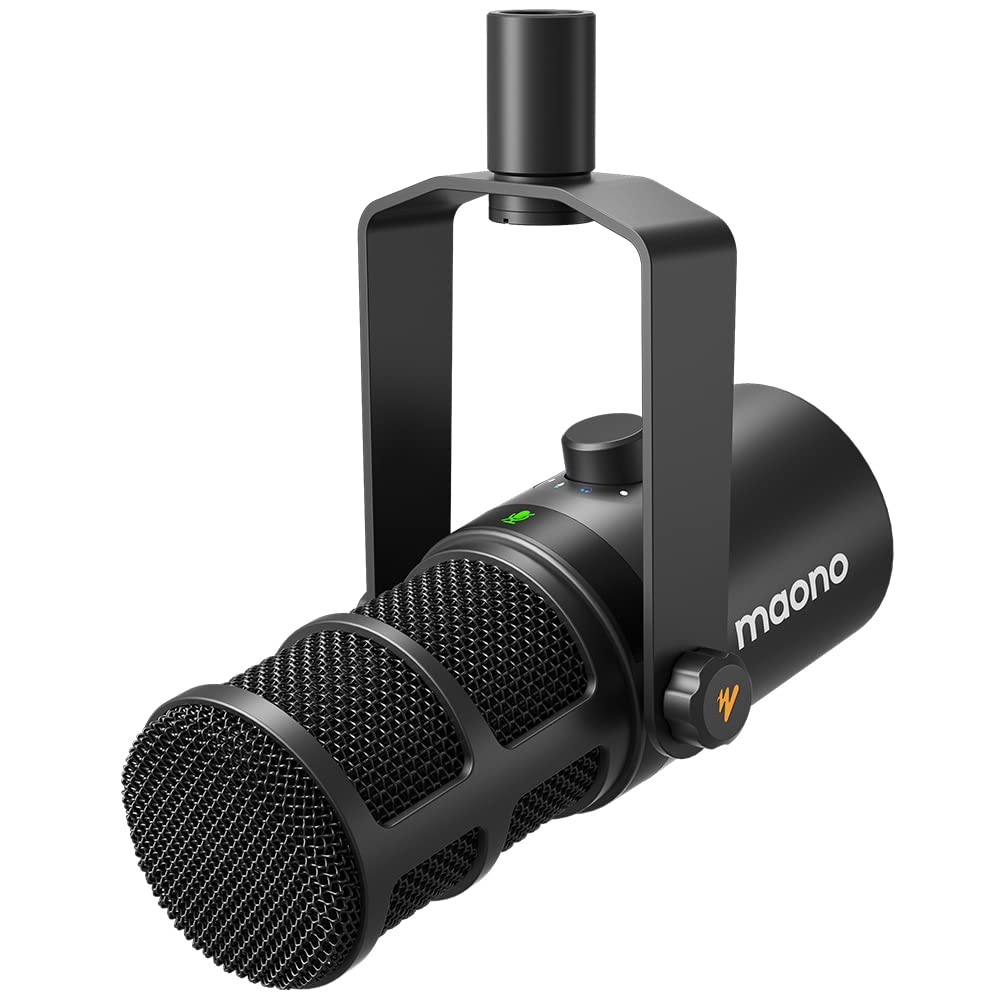
- Provides USB and XLR outputs.
- A three-in-one knob adjusts gain, headphone volume and monitor mix.
- MAONO Link adds EQ, limiter and compressor adjustments.
Best For: Podcasters who want on-mic controls plus app-based voice adjustments.
FIFINE AmpliTank K688
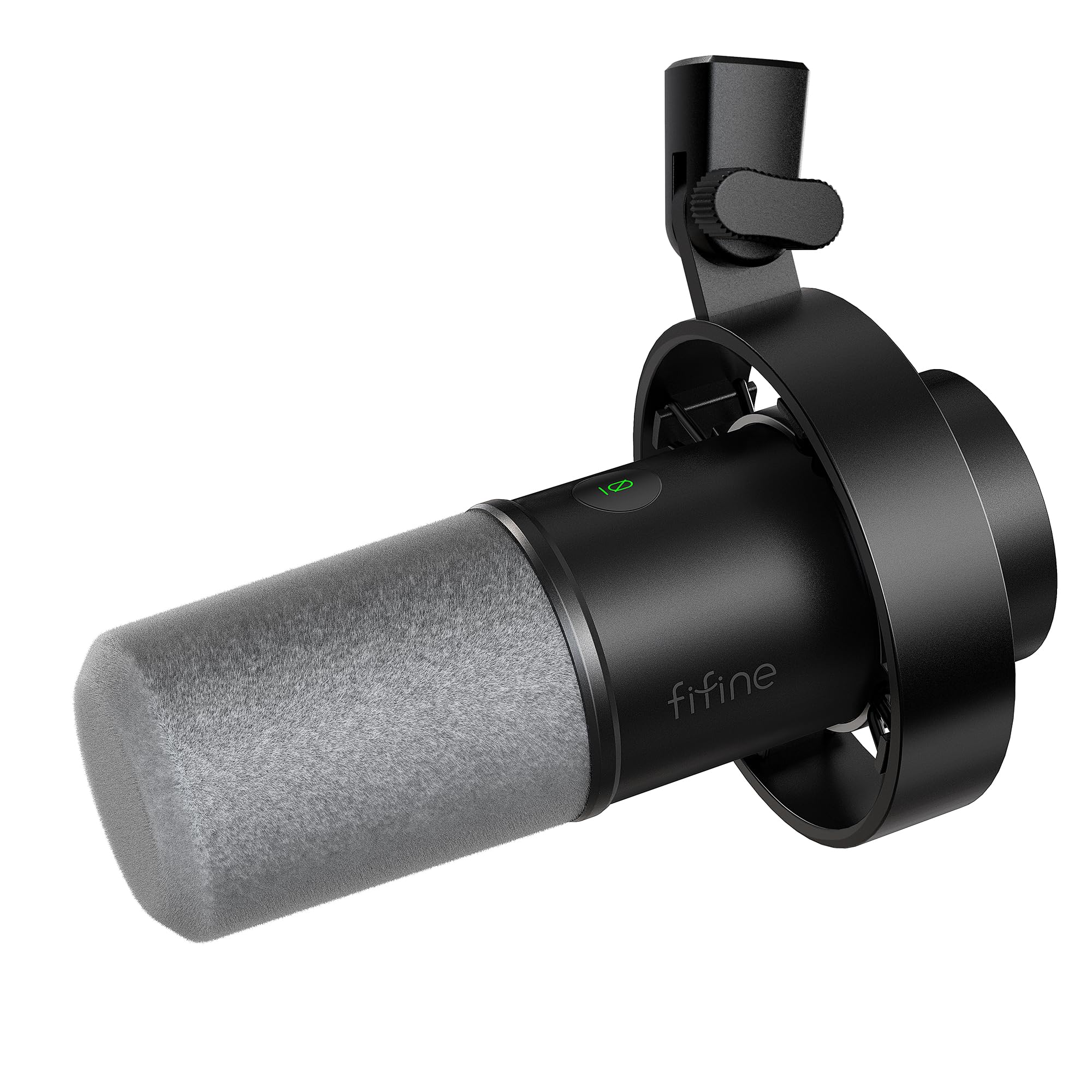
- Supports both USB and XLR connections.
- Includes a shock mount and windscreen.
- USB controls include mute, gain and headphone monitoring.
Best For: Podcasters who want a dynamic USB/XLR mic with onboard USB controls and a shock mount.
FIFINE AmpliTank K688P
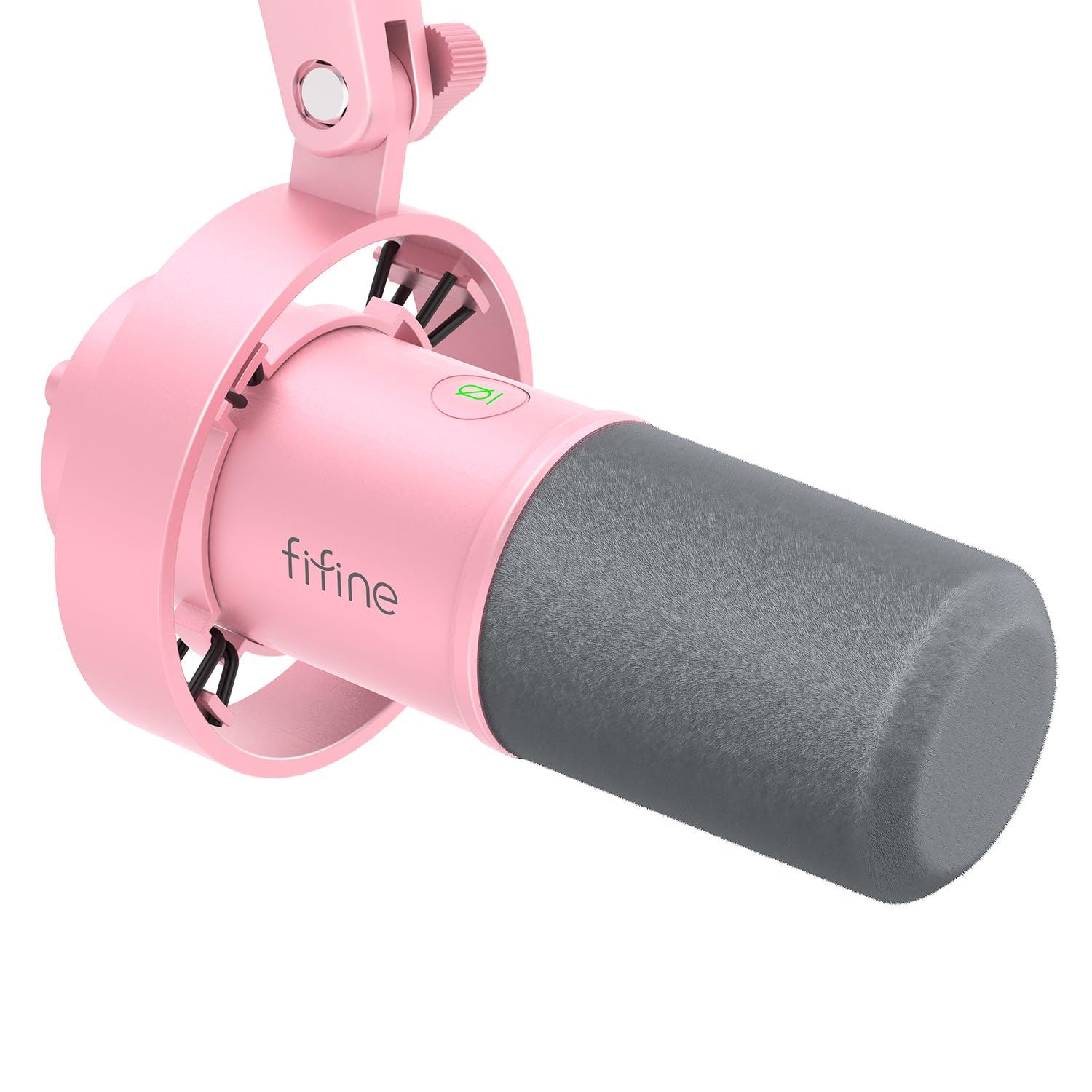
- Offers USB and XLR connections.
- Includes a shock mount and windscreen.
- USB operation includes mute, volume and headphone monitoring controls.
Best For: Podcasters who want the K688 feature set in a pink finish and already have a mic stand or arm.
FIFINE AmpliTank K688W
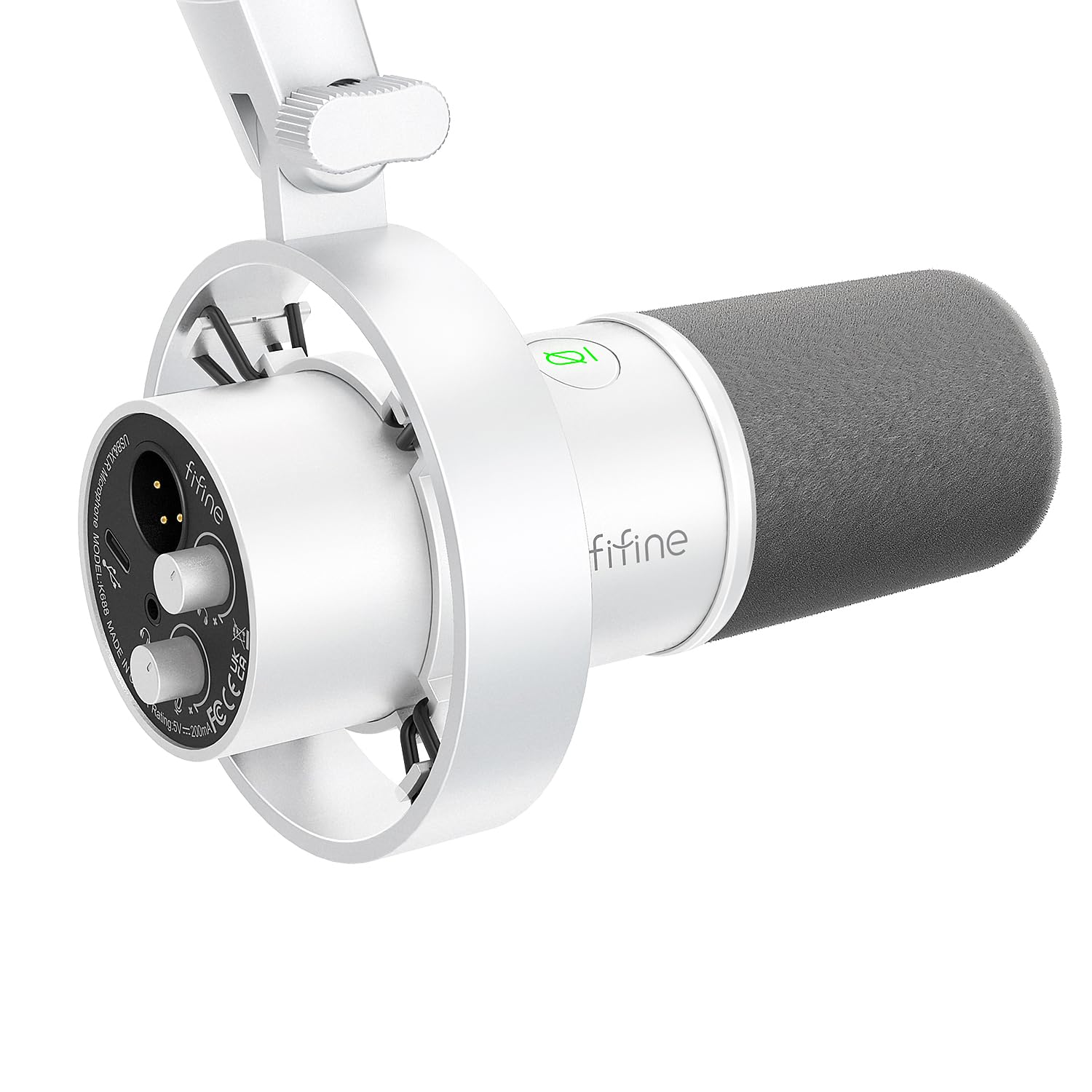
- Supports USB and XLR interfaces.
- Includes a shock mount and windscreen.
- USB controls include mute and headphone monitoring.
Best For: Podcasters building a white desk setup who can supply their own stand and XLR cable.
FIFINE AmpliGame AM8T
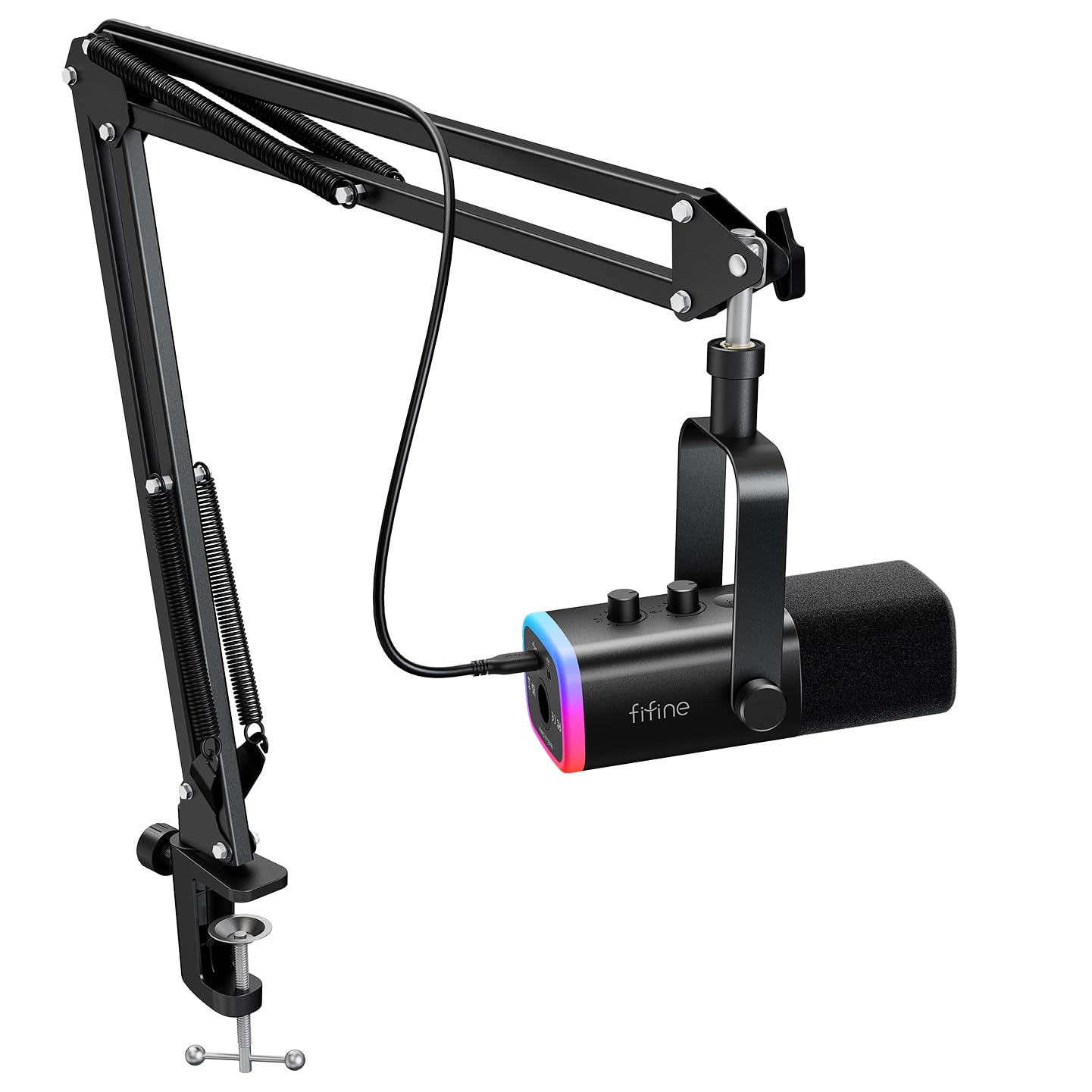
- Includes a dynamic mic and boom arm stand.
- Provides USB and XLR connectivity.
- USB controls include mute, gain and headphone monitoring.
Best For: Podcasters who want a dynamic USB/XLR mic and an included boom arm.
FIFINE AmpliGame AM8 White

- Offers USB and XLR connectivity.
- Has a tap-to-mute control and gain knob.
- USB mode includes headphone monitoring and volume control.
Best For: Podcasters who want a compact dynamic microphone with direct USB controls and a clean white look.
FIFINE T669

- Connects directly to a PC or laptop over USB.
- Includes a boom arm, shock mount and double pop filter.
- The arm supports adjustable positioning.
Best For: First-time podcasters who want a USB condenser microphone, arm and pop filters in one package.
MAONO PD100
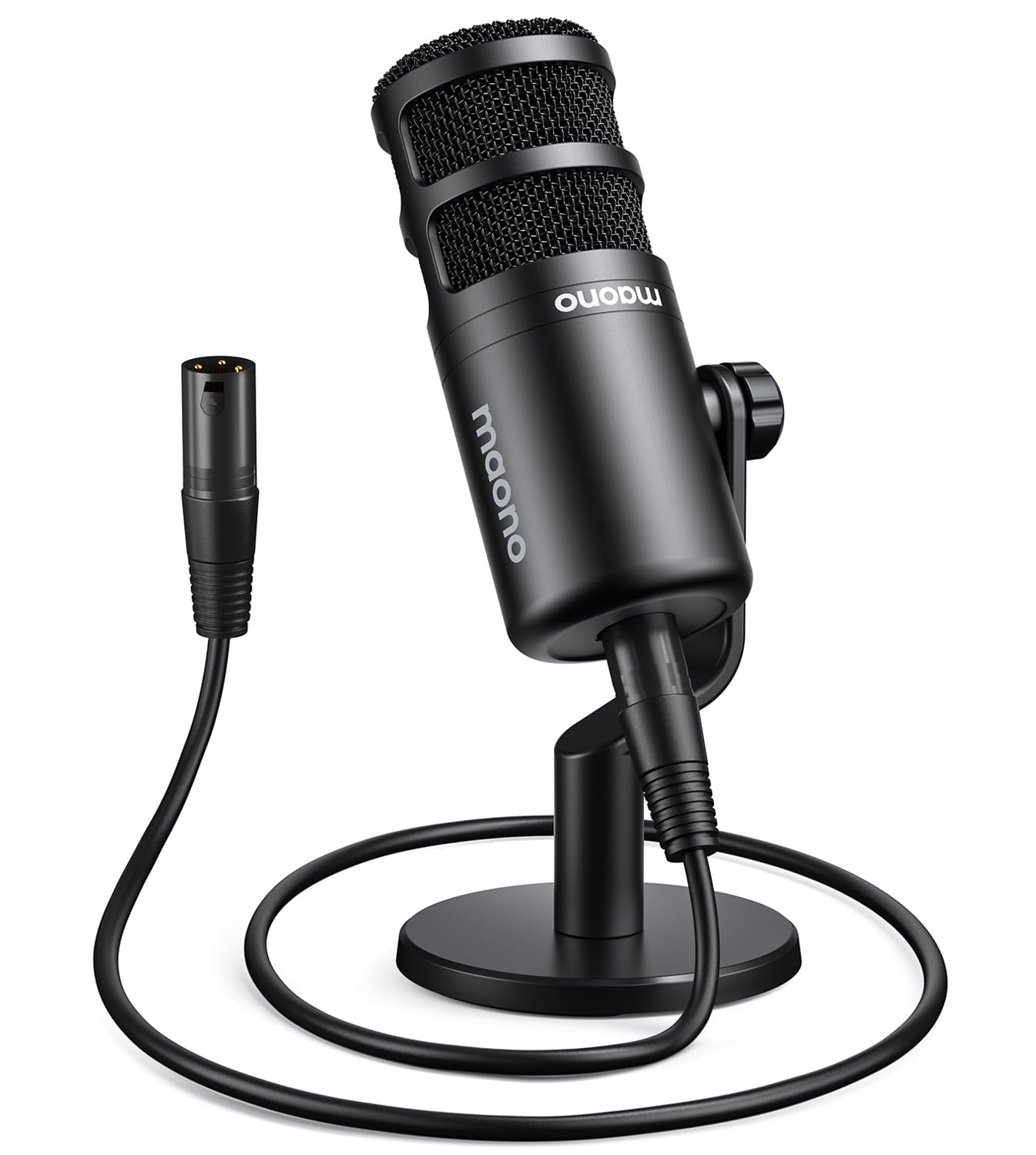
- Uses an XLR connection with an interface or mixer.
- Includes a desktop stand, extension rod, base and XLR cable.
- Has an inner double-layer pop filter.
Best For: Podcasters who already have an XLR interface or mixer and want a desktop mic bundle.
USB/XLR Flexibility in a Handheld Mic
Samson Q2U Dynamic USB-C/XLR Microphone
The Samson Q2U keeps the setup straightforward while leaving room to move into an XLR recording chain. Its dynamic handheld design connects over USB-C to a computer or by XLR, and the pack includes a desktop tripod, extension, clip, windscreen and both cables.
That makes it useful for a first podcast setup without requiring a separate shopping list for basic mounting and connections. The tradeoff is its handheld form: the supplied tripod puts it on a desk, but it does not provide an adjustable boom arm for moving the mic closer during recording.
Best For: Podcasters who want a handheld dynamic mic with both computer and XLR connections.
| Pros | Cons |
|---|---|
|
|
Choose the Q2U if you want the option to record over USB now and use an XLR setup later, while keeping a handheld form factor. The included cables and tripod make the initial desk setup more complete than a mic-only package.
Check whether a tabletop tripod suits your speaking position, and whether you need an adjustable arm or direct monitoring controls; those features are not specified here.
Software EQ and Preset Modes
MAONO Dynamic Microphone-XLR USB Podcast Recording Mic: for Vocal Recording, Content Creation, Home Studio, Voiceover, with 192kHz/24bit, Noise Reduction, Mic Gain, Monitoring, Mute (PD300X)
The MAONO PD300X combines USB and XLR connections with a software-focused control set. Its notes identify graphic EQ, four preset modes, limiters, compressors and high-pass filters through MAONO Link, alongside a smart knob for gain, headphone volume and monitoring.
Noise-reduction control is also built in. This gives a podcaster several ways to shape a voice recording without relying only on the recording app.
The records do not identify included mounting hardware, so factor in a compatible stand or arm when planning the desk setup, and check whether your workflow needs USB simplicity or XLR equipment.
Best For: Podcasters who want software tone controls and flexible USB/XLR connections.
| Pros | Cons |
|---|---|
|
|
Pick the PD300X if you expect to adjust tone and processing, and want a microphone that can connect by USB or XLR. Its preset modes and software tools suit a podcaster who likes to shape a voice before or during production.
Before ordering, confirm the mounting pieces and cables you need, since they are not identified in the supplied details. If you prefer a simpler desk bundle, compare the included accessories carefully.
USB/XLR Controls and App Tuning
MAONO Dynamic Microphone, USB/XLR Podcast PC Microphone with Software, EQ,Tap-to-Mute, Headphone Jack, Gain Knob & Volume Control, Studio Mic for Broadcast, Recording, Streaming & Gaming (PD400X)
The MAONO PD400X is a dynamic USB/XLR microphone aimed at recording, podcasting and streaming. In USB mode, MAONO Link adds standard and advanced modes, including vocal tone and distance choices, EQ, limiter and compressor adjustments.
The microphone also has a three-in-one knob for gain, headphone volume and monitor mix, plus a tap-to-mute control with an LED indicator. That mix of direct controls and software tuning fits a podcaster who wants to adapt a desk setup over time.
The supplied details do not identify a stand or cable package, so check what else you need before choosing it.
Best For: Podcasters who want on-mic controls plus app-based voice adjustments.
| Pros | Cons |
|---|---|
|
|
Choose the PD400X if accessible on-mic controls and software-based tone options matter to your podcast workflow. The USB connection offers the described MAONO Link modes, while XLR output supports connection to an interface, mixer or portable PA system.
Check accessory requirements before purchase, especially if you do not already own a stand or XLR equipment. Its feature set is most useful when you intend to use those controls rather than simply plug in and record.
Dynamic Mic with Shock Mount Included
FIFINE Dynamic Microphone, XLR/USB Podcast Recording PC Microphone for Vocal Voice-Over Streaming, Studio Metal Mic with Mute, Headphone Jack, Monitoring Volume Control, Windscreen-Amplitank K688
The FIFINE AmpliTank K688 is a dynamic microphone with USB and XLR connections, a useful combination for a home podcaster whose setup may grow. Over USB, it provides tap-to-mute, a gain knob, headphone monitoring and headphone-volume control.
The cardioid pattern and included windscreen and shock mount address common close-mic concerns such as plosives and desk vibration. A USB cable and thread adapter are included, but an XLR cable, boom arm and mic stand are not.
The microphone is intended for close recording, so plan a position that keeps it near the speaker.
Best For: Podcasters who want a dynamic USB/XLR mic with onboard USB controls and a shock mount.
| Pros | Cons |
|---|---|
|
|
The K688 fits podcasters who want a dynamic mic with both a quick USB route and an XLR option, plus a shock mount in the box. Its direct controls are available when connected by USB, which makes them useful for a computer-first setup.
Check your mounting needs and connection plans: the arm, stand and XLR cable require separate provision, and the onboard functions do not carry over to XLR mode.
Pink Finish with USB/XLR Recording
FIFINE XLR/USB Dynamic Microphone, Studio XLR Vocal Podcast Microphone for Recording, USB Streaming Mic with Mute Button, Gain Knob, Headphones Monitoring for Voice-Over, Video-Amplitank K688 Pink
This pink version of FIFINE’s AmpliTank K688 brings a dynamic USB/XLR microphone format to a podcast desk, with USB controls for mute, volume and headphone monitoring. Its cardioid pattern is intended to limit unwanted environmental noise, while the included shock mount and windscreen help address desk vibration and plosive sounds.
A USB cable and thread adapter are included. The tradeoff is that the package leaves out an arm, mic stand and XLR cable, so it is a better fit for someone who already has mounting gear or is prepared to add it.
The on-mic functions are USB-only.
Best For: Podcasters who want the K688 feature set in a pink finish and already have a mic stand or arm.
| Pros | Cons |
|---|---|
|
|
Choose this K688 version if its pink finish suits your setup and you want a dynamic mic that can move between USB and XLR workflows. The bundled shock mount and windscreen are useful components, but you will need to arrange a stand or arm.
As with the other K688 versions, the direct controls are for USB use. Compare the package against your existing gear before buying, especially if you plan to record through XLR.
White Finish with Shock Mount
FIFINE Studio XLR Dynamic Microphone, USB PC Podcast Microphone for Streaming Recording, XLR/USB Vocal Mic with Tap-to-Mute, Gain Knob, Headphones Monitoring-Amplitank K688 White
The white AmpliTank K688W pairs a dynamic microphone with USB and XLR connectivity for a podcast setup that may start on a computer and later add a mixer or interface. In USB mode, the controls include mute, volume adjustment and headphone monitoring.
Its cardioid pattern is intended to reduce ambient noise, and the package includes a shock mount, windscreen, USB cable and thread adapter. A boom arm, mic stand and XLR cable are excluded, so it is not a complete mounting kit.
This option makes sense when the color fits the desk and the buyer has a plan for positioning the mic close to the speaker.
Best For: Podcasters building a white desk setup who can supply their own stand and XLR cable.
| Pros | Cons |
|---|---|
|
|
The K688W suits someone choosing a white microphone for a desk and wanting the option of USB or XLR recording. Its supplied shock mount and windscreen address some setup needs, but this is still a mic package rather than a complete stand kit.
Confirm the desk mounting solution and XLR cable separately if required. The USB controls are useful for a computer workflow; if you will connect through XLR, plan to handle monitoring and level adjustments through the rest of your audio chain.
Boom Arm Bundle for Dynamic Recording
FIFINE XLR/USB Gaming Microphone Set, Dynamic PC Mic for Streaming Podcasting, Computer RGB Mic Kit with Boom Arm Stand, Mute Button, Headphones Jack, for Recording Vocal Voice-Over-AmpliGame AM8T
The FIFINE AmpliGame AM8T combines a dynamic USB/XLR microphone with a boom arm, making it a practical bundle for a podcast desk that needs adjustable positioning. USB is plug-and-play for PC recording and includes a mute button, gain knob, headphone jack and headphone-volume control.
RGB can be adjusted by tapping the microphone button, while XLR provides a path to a mixer or sound card. The included clamp fits desktops less than 2 inches thick, and the arm can be repositioned.
The package does not include an XLR cable, so an XLR workflow needs that additional item.
Best For: Podcasters who want a dynamic USB/XLR mic and an included boom arm.
| Pros | Cons |
|---|---|
|
|
Choose the AM8T if adjustable positioning is a priority and you want a dynamic microphone with an arm in the package. USB offers the direct controls for a computer setup, while XLR lets you connect to a mixer or sound card.
Check the desk thickness before relying on the clamp, and add an XLR cable if you plan to use that connection. Its RGB features are secondary to the practical difference between this arm bundle and a mic-only package.
Compact Dynamic Mic with USB/XLR
FIFINE XLR/USB Gaming Microphone for Streaming Podcasting, PC Computer RGB Mic, with Gain Knob, Mute Button, Monitoring Jack, Gamer Mic for Recording Video Creation-AmpliGame AM8 White
The white FIFINE AM8 is a dynamic USB/XLR microphone for podcasting and other voice work. Its compact desktop design includes a gain knob, tap-to-mute, headphone jack and headphone-volume control for use over USB.
RGB lighting can be changed or switched off with a button, also on USB. The product notes suggest placing the end-addressing mic toward the audio source and give a close recording range, which is useful when planning desk position.
This is the microphone itself rather than an arm bundle, so check what stand or mounting hardware is included if you need more than a desktop arrangement.
Best For: Podcasters who want a compact dynamic microphone with direct USB controls and a clean white look.
| Pros | Cons |
|---|---|
|
|
The AM8 White is a fit for someone who wants a dynamic mic with USB controls and the option to use XLR later. Its compact desktop design and white finish suit a focused setup, while the mute and gain controls make quick adjustments accessible over USB.
Check the stand arrangement and cable requirements before ordering, since the supplied details do not establish those accessories. Also plan to keep the end-addressing microphone aimed toward the sound source.
Complete Condenser Kit with Boom Arm
FIFINE Studio Condenser USB Microphone Computer PC Microphone Kit with Adjustable Boom Arm Stand Shock Mount for Instruments Voice Overs Recording Podcasting YouTube Vocal Gaming Streaming-T669
The FIFINE T669 bundles a USB condenser microphone with an adjustable boom arm, shock mount and double pop filter. It connects directly to a PC or laptop, so a home podcaster can set up without separate interface hardware.
The cardioid capsule is intended to capture from the front and reduce ambient noise, while the arm provides more positioning flexibility than a basic desktop tripod. Its long reach and table-hugging design can help keep the microphone off the center of the desk.
Check that the clamp suits your desk, and note that this microphone is incompatible with Xbox.
Best For: First-time podcasters who want a USB condenser microphone, arm and pop filters in one package.
| Pros | Cons |
|---|---|
|
|
Choose the T669 if you want the microphone and flexible arm in one starter package, and a direct USB connection fits your recording setup. Its pop filters and shock mount make the bundle particularly useful for a desk that needs a more positioned mic than a tripod allows.
Check the clamp and cable fit for your equipment before buying. It is a condenser option, while dynamic choices in this roundup offer USB/XLR paths for a different kind of setup.
XLR Starter Set with Desktop Base
MAONO PD100 XLR Podcast Microphone, Cardioid Studio Dynamic Metal Desk Mic | Compatible with Audio Interface, Audio Mixer, Sound Card for Vocal Recording, Streaming, Voiceover, Music, Content Creation
The MAONO PD100 is an XLR dynamic microphone supplied with a desktop stand, extension rod, metal base and XLR cable. That package is convenient for an interface-based podcast setup, since the main connection and desk support pieces are included.
Its cardioid pattern and inner pop filter are intended to focus voice and attenuate plosives, and the mic is designed for top-addressed speech. Unlike USB/XLR hybrids in this roundup, it does not offer a direct USB connection, so a compatible interface or mixer is necessary.
Check your desk position and talk toward the top of the microphone.
Best For: Podcasters who already have an XLR interface or mixer and want a desktop mic bundle.
| Pros | Cons |
|---|---|
|
|
Pick the PD100 if your podcast desk already has an XLR interface or mixer and you want a bundled desktop base and cable. The compact stand and extender offer a self-contained desk arrangement, while the top-addressed design calls for attention to how you speak into it.
If you need to connect straight to a computer without other audio equipment, compare the USB/XLR options instead. Confirm the available desk space and preferred mic height before choosing this fixed-base approach.
How to Choose Microphones For Podcasting
How We Picked Microphones for Podcasting
We prioritized candidates that explicitly support podcast recording or voice work and compared the practical setup differences: direct USB connections, XLR options, bundled stands or arms, and controls for muting and headphone monitoring. The resulting group includes simple computer-connected microphones, dynamic USB/XLR models that can join a mixer setup, and a condenser bundle with its own boom arm and pop filters.
That range matters for campus and student life, where one person may record at a dorm desk while another shares a home studio with an interface. We favored options with a clear role in a podcast workflow and excluded general meeting or gaming choices when stronger recording-oriented alternatives covered the same connection type.
Color variants of the same manufacturer model are treated as one model family for selection purposes.
Comparing Microphones for Podcasting
USB is the easiest route when you want to connect directly to a computer. The T669 is a condenser option with an arm, shock mount and double pop filter in the box; the Samson Q2U adds a handheld dynamic format and both USB-C and XLR connections, with a desktop tripod and cables included.
The MAONO PD100 takes the opposite approach: it is XLR-only, but includes a desktop base and cable for someone who already has an interface or mixer.
Among the USB/XLR dynamic mics, compare both package contents and controls. The AM8T includes a boom arm, while the K688 variants include a shock mount but leave out a stand and XLR cable.
The PD300X and PD400X add software processing options, including EQ, with the PD400X also describing vocal tone and distance choices in its app. These differences affect setup and workflow more directly than gaming lights or finish color.
| Product | Standout features | Best for |
|---|---|---|
| Samson Q2UCheck Price |
| Podcasters who want a handheld dynamic mic with both computer and XLR connections. |
| MAONO PD300XCheck Price |
| Podcasters who want software tone controls and flexible USB/XLR connections. |
| MAONO PD400XCheck Price |
| Podcasters who want on-mic controls plus app-based voice adjustments. |
| FIFINE AmpliTank K688Check Price |
| Podcasters who want a dynamic USB/XLR mic with onboard USB controls and a shock mount. |
| FIFINE AmpliTank K688PCheck Price |
| Podcasters who want the K688 feature set in a pink finish and already have a mic stand or arm. |
| FIFINE AmpliTank K688WCheck Price |
| Podcasters building a white desk setup who can supply their own stand and XLR cable. |
| FIFINE AmpliGame AM8TCheck Price |
| Podcasters who want a dynamic USB/XLR mic and an included boom arm. |
| FIFINE AmpliGame AM8 WhiteCheck Price |
| Podcasters who want a compact dynamic microphone with direct USB controls and a clean white look. |
| FIFINE T669Check Price |
| First-time podcasters who want a USB condenser microphone, arm and pop filters in one package. |
| MAONO PD100Check Price |
| Podcasters who already have an XLR interface or mixer and want a desktop mic bundle. |
Choosing a Podcast Mic for a Shared Room
Microphone pickup pattern and mic placement both matter in a busy room. Several dynamic options here use cardioid patterns and describe reducing background noise, but that does not remove the need to keep the microphone positioned for the speaker.
The K688 notes specifically call for close recording; the FIFINE AM8 also provides a recommended recording range. Use the guidance for the chosen model and check whether its included stand can put the mic in a comfortable position.
Pop filters, windscreens and shock mounts address different handling issues. The T669 includes a double pop filter, the AM8T includes a windscreen, and the K688 packages include a shock mount and windscreen.
Check what is in the box before adding accessories, and consider how much desk movement or keyboard vibration your setup creates.
USB or XLR for a Podcast Setup?
USB suits a first recording setup or a portable laptop workflow because it connects directly to a computer on supported models. Some hybrid microphones also expose mute, gain and headphone controls only in USB mode, so those functions may not be available when connected by XLR.
Read the connection-specific notes before buying if direct monitoring or quick mute is part of your routine.
XLR is a useful fit when you already use an audio interface or mixer, or want that connection available later. It often changes what you need to buy: the PD100 includes an XLR cable, but several K688 packages and the AM8T do not.
Check your interface inputs and accessories, and do not assume a USB cable is included when the package details do not say so.
Who Should Buy Which Podcast Microphone?
Choose the T669 if you want a condenser mic with a boom arm and pop filters in one USB bundle. Consider the Q2U if you want a handheld dynamic microphone with USB-C and XLR connections plus a desktop tripod and cables.
The PD100 fits an XLR-ready desk where a desktop base and cable are useful.
For a dynamic hybrid setup, the AM8T is the arm-bundle choice, while the K688 is for buyers who can supply a stand and want a shock mount and USB monitoring controls. Pick the PD300X or PD400X if software tone shaping is a priority; compare their included accessories before deciding.